P1S vs P2S: Which Bambu Lab Printer Should You Buy in 2026?
P1S vs P2S compared on price gap, specs, AMS options and real quirks. The $150 gap rule, applied honestly to today's prices.
Updated · We may earn a commission from links on this page. How that works
Quick answer
 Check price on Bambu Lab
Best for carbon fiber
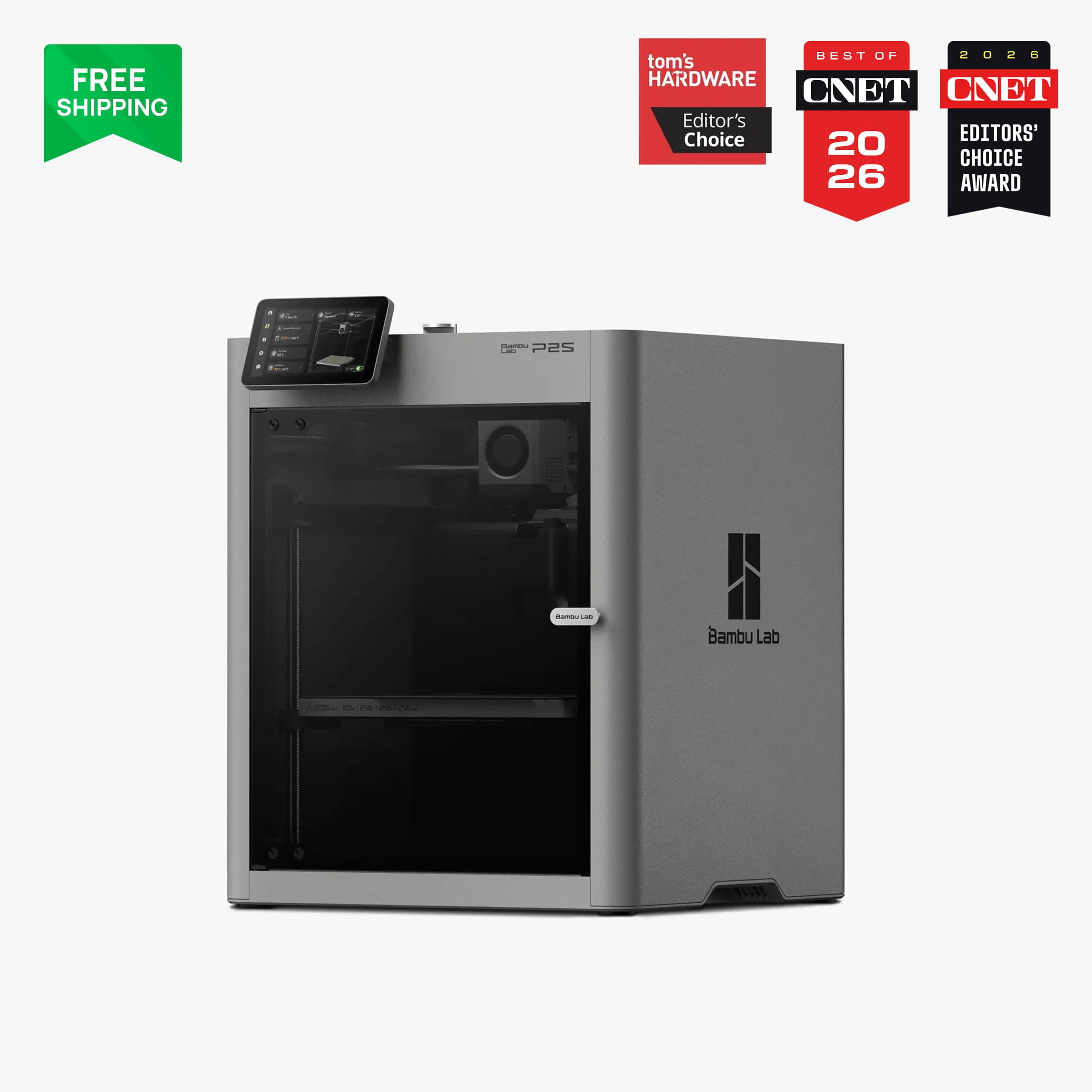
Bambu Lab P2SThe newer platform, and the only one of the two that prints abrasive filament without upgrades.
 Check price on Amazon
Best value enclosed
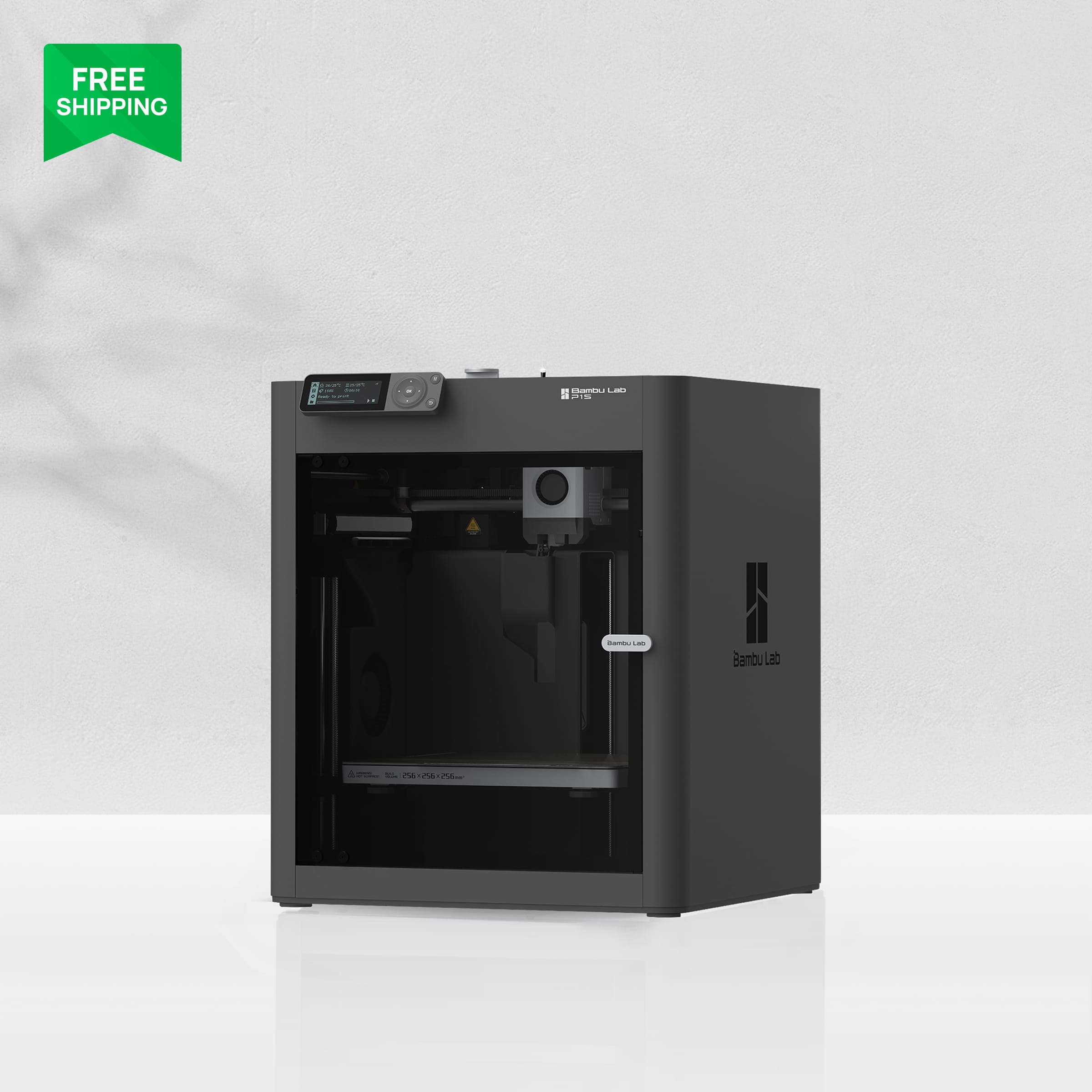
Bambu Lab P1SThe value enclosed pick, legitimate at today's gap, but only if the P2S features genuinely do not matter to you.
If you are choosing between the Bambu Lab P1S and the P2S, here is the short version: buy the P2S unless the price gap is $150 or more and you genuinely do not care about a touchscreen, AI error detection or carbon-fiber printing. At today's prices the solo gap sits exactly on that $150 line, so this is a closer call than it looks, and the rest of this comparison explains where each machine earns its money.
That rule is our own buying rule, stated in our P1S review: the P1S is only worth it if the gap to the P2S is $150 or more, and under $100 you should buy the P2S outright. This post applies that rule to dated prices instead of repeating it blindly, because the gap today lands in the awkward middle.
Prices and specs checked 25 October 2026 against Bambu Lab's official US store and specification pages. Prices move with sales, so check the live price before buying.
Verdict up front
Price gap today
| Configuration | P1S | P2S | Gap |
|---|---|---|---|
| Solo | $399 | $549 | $150 |
| Original AMS Combo | $549 | Not sold (see note) | Not comparable |
| AMS 2 Pro Combo | $579 | $749 | $170 |
P1S vs P2S prices, Bambu US store, 25 October 2026
Two things to note before applying the rule. First, the often-quoted "$200 Combo gap" compares the P2S Combo ($749) against the P1S original-AMS Combo ($549), which is two different AMS generations. Like for like, with the AMS 2 Pro on both machines, the Combo gap is $170 ($749 versus $579). Second, the P2S Combo launched at $799 and has since dropped $50, so the gap has already narrowed once. All variants above were in stock at the Bambu US store on 25 October 2026 (P2S prices confirmed by our price watcher the same day; P1S prices corroborated by two independent trackers).
Applied to the rule: the solo gap of $150 sits exactly on the line where the P1S becomes worth considering, and the like-for-like Combo gap of $170 sits above it. On price discipline alone, the P1S passes the test today. The honest caveat is that the rule measures money, not features: the $150 to $170 buys a touchscreen, AI error detection, a servo extruder, hardened parts as standard and a drying AMS. If any of those matter to you, the P2S wins even at this gap.
Specs side by side
| Spec | Bambu Lab P1S | Bambu Lab P2S |
|---|---|---|
| Build volume | 256 × 256 × 256 mm | 256 × 256 × 256 mm |
| Max toolhead speed | 500 mm/s | 600 mm/s |
| Max acceleration | 20,000 mm/s² | 20,000 mm/s² |
| Max hotend flow | 32 mm³/s (ABS) | 40 mm³/s (ABS) |
| Nozzle / gears | 0.4 mm stainless nozzle, steel gears | Hardened steel nozzle and gears, standard |
| Nozzle / bed temp | 300°C / 100°C | 300°C / 110°C |
| Screen | 2.7-inch button screen, not touch | 5-inch touchscreen |
| Camera | 720p, 0.5 fps | 1080p, 30 fps |
| AI features | None stated | 2 TOPS NPU, spaghetti and blob detection |
| Chamber | Enclosed, passive | Enclosed, flap-controlled airflow, ~50°C passive |
The headline numbers are closer than the marketing suggests. Both machines share the same build volume and the same 20,000 mm/s² acceleration. The P2S is faster on paper (600 versus 500 mm/s) and flows more plastic (40 versus 32 mm³/s), which shows up on large, simple prints rather than detailed ones. Where the P2S genuinely pulls away is not speed but the package around it: the extruder, the screen, the camera and the AI detection.
One wording correction from our earlier coverage: Bambu does not describe an "AI-assisted calibration" feature. Calibration on both machines is auto bed leveling, vibration compensation and flow-dynamics calibration (on the P2S, via an eddy-current sensor). The AI on the P2S is error detection: spaghetti, nozzle blobbing and print-start checks. Do not buy the P2S expecting AI to calibrate your prints.
Hardened nozzle and carbon fiber
This is the clearest functional difference between the two machines. The P2S ships with a hardened steel nozzle and hardened steel extruder gears as standard, plus a quick-swap hotend. The P1S ships with a stainless steel nozzle and steel gears, and Bambu's own FAQ says fiber-reinforced filaments are not recommended on the stock P1S before an extruder and hotend upgrade.
In practice: if you want to print carbon-fiber or glass-fiber filament, the P2S does it out of the box and the P1S needs parts and work first. If you will never print abrasive filament, this difference is worth nothing to you, and it should not move your decision. The P2S also adds a servo extruder (Bambu's permanent-magnet synchronous motor, marketed as DynaSense) with up to 8.5 kg of extrusion force and real-time clog and grinding detection, which is part of why its flow rate is higher.
Best for carbon fiber: P2S, with no contest.
Image: Bambu LabBambu Lab P2S
The newer platform, and the only one of the two that prints abrasive filament without upgrades.
Good stuff
- Hardened nozzle and gears standard
- Servo extruder with clog detection
- 40 mm³/s flow rate
- 5-inch touchscreen and AI error detection
Watch out for
- $150 solo gap over the P1S
- Newer-platform quirks still surfacing (see below)
- AMS 2 Pro drying caps at 65°C
AMS vs AMS 2 Pro
Multicolor on these machines runs through Bambu's AMS family, and compatibility is not universal, so check this before assuming your existing unit carries over.
| Combination | Works? | Notes |
|---|---|---|
| P2S + AMS 2 Pro | Yes, native | Ships in the P2S Combo; printer powers drying for one unit |
| P2S + original AMS | Yes, via filament buffer | Combined with AMS 2 Pro and AMS HT up to 20 slots on the P2S |
| P2S + AMS Lite | No | AMS Lite is A-series only |
| P1S + AMS 2 Pro | Yes, with adapter | Needs a Switching Adapter, Filament Buffer and PTFE coupler |
| P1S + original AMS | Yes, native | Ships in the P1S AMS Combo; stacks to 16 colors |
| P1S + AMS Lite | No | AMS Lite is A-series only |
AMS compatibility for P1S and P2S
Our earlier line that the P1S is compatible with the newer AMS 2 Pro is confirmed, with the accessory caveat above. Two limits worth knowing: Bambu's system-wide marketing claims up to 24 colors for AMS 2 Pro, but the P2S-specific limit is 20 slots combined, so use 20 for this machine. And the AMS 2 Pro's 65°C drying ceiling does not cover every engineering filament: Bambu's own page marks ABS, ASA, PET, PA, PC, PVA, BVOH and carbon composites as needing higher temperatures, and recommends the AMS HT for those. Do not present 65°C as sufficient for all materials.
For a P2S vs P1S buyer, the practical difference is drying. The AMS 2 Pro dries actively while the original AMS only stores with desiccant. If you print moisture-sensitive filament, that is a real, daily advantage for the P2S Combo. If you print PLA and PETG in a dry room, it is not.
Touchscreen, AI detection, camera
The P1S screen is a 2.7-inch monochrome button screen, not a touchscreen. (One retailer lists 2.8 inches; Bambu's own spec sheet says 2.7 inches, and every other source agrees, so use 2.7.) Our P1S review already flagged the dated interface and the confusing WiFi and Bluetooth binding that trips up new owners. The P2S replaces all of it with a 5-inch touchscreen and a modern interface.
The camera gap is just as large: 720p at 0.5 frames per second on the P1S, versus 1080p at 30 fps on the P2S, feeding the AI error detection that watches for spaghetti and nozzle blobbing. The P1S camera is fine for timelapses. It is not a monitoring tool.
These are quality-of-life differences, not print-quality differences. They matter most to first-time buyers, who benefit most from a screen that explains itself and a camera that catches a failed print early. Experienced owners who drive the printer from a slicer will notice them less.
Noise
Bambu publishes no noise figure for either printer, so treat every decibel number for these machines as third-party evidence, not specification. One independent 600-hour three-printer test (3D Printed Decor) measured the P1S at 72 dB and the P2S at 65 dB, or 7 dB quieter. That is the source behind the 72 dB figure our P1S review cites. A conflicting retailer listing puts the P2S at 45 to 55 dB depending on speed, which contradicts the 65 dB measurement.
The defensible statement is the comparative one: one independent long-term test found the P2S 7 dB quieter than the P1S. Do not quote either number as a spec. In a shared room, both machines are audible; the P2S is the quieter of the two, not a quiet printer.
Newer-platform quirks on the P2S
A newer platform means newer problems, and the P2S has two documented ones. Neither is a reason to avoid the machine, but both are reasons to buy it with eyes open.
VFA streaking (vertical fine artifacts). Real at launch: launch reviews found fine patterns on X faces, worst around 60 mm/s and mostly gone at 80 mm/s. Bambu shipped a motor noise-cancellation calibration in firmware 01.01.01.00 (December 2025), which only takes effect after running that calibration. Owner results since are mixed: beta testers saw clearly fewer streaks, other owners little or no change, and one long-term owner with three units reported in April 2026 that updates had mostly solved it. Current firmware is 01.03.00.00, dated 12 October 2026. Verdict: improved, not universally fixed. If you print smooth-walled models and VFA bothers you, this is a live risk.
Extruder overload errors. Real at launch and still reported. Bambu enabled extruder motor overload detection in a firmware update and published a troubleshooting guide (February 2026) covering the hotend clamp, heating-assembly screws, clogs and cold pulls, and maximum volumetric speed. One trap is specific and avoidable: Bambu Studio's P2S profile defaults PLA Basic to 21 mm³/s on the standard-flow hotend versus 40 mm³/s on the high-flow hotend, and using high-flow values on the standard hotend triggers the error. Forum reports continued through mid-October 2026, often resolved by a genuine Bambu nozzle swap, PTFE tube length fixes, or lowering volumetric speed. Verdict: not fixed as a class. It reads as a sensitive detection system plus setup and profile issues, not a single resolved bug.
The P1S, by contrast, is a mature platform with known behavior and no equivalent launch-issue list. That maturity is part of what the lower price buys.
Who should buy which
- Buy the P2S if: the gap is under $150, you want carbon-fiber printing without upgrades, you want the touchscreen and AI error detection, or you print moisture-sensitive filament and want AMS drying.
- Buy the P1S if: the gap is $150 or more, you print PLA, PETG and occasional ABS, and you do not care about the newer interface. At today's $150 solo gap, this is a legitimate value choice, not a consolation prize.
- Buy neither yet if: you are choosing between the P1S and the A1 instead. That is a different comparison, covered in our A1 vs P1S post, where the open-frame A1 wins on price and the enclosed P1S wins on materials.
Best for most buyers: P2S, because the gap will likely narrow further and the feature set is the one Bambu is building on.
Image: Bambu LabBambu Lab P1S
The value enclosed pick, legitimate at today's gap, but only if the P2S features genuinely do not matter to you.
Good stuff
- $150 cheaper solo than the P2S
- Mature platform with known behavior
- Enclosed printing for ABS and ASA
- Accepts the AMS 2 Pro with an adapter
Watch out for
- No carbon-fiber printing stock
- Dated button screen, no touchscreen
- 720p low-rate camera, no AI detection
FAQ
Is the P1S discontinued?
No. The P1S product page is live on the Bambu US store as of 25 October 2026 with solo, AMS Combo and AMS 2 Pro Combo variants and no discontinuation notice. Third-party sites describe it as a value pick while stock lasts, but that is their wording, not Bambu's. Do not confuse it with the X1 Carbon, which was discontinued in March 2026.
Is the P2S worth the extra money?
At today's $150 solo gap, it depends on what you value. The $150 buys a touchscreen, AI error detection, a servo extruder, hardened parts as standard and a drying AMS. If none of those matter to you, the P1S is the better buy. If any of them do, the P2S is worth it even at this gap.
Can the P1S print carbon fiber?
Not stock. Bambu's own FAQ says fiber-reinforced filaments are not recommended on the P1S before an extruder and hotend upgrade. The P2S prints them out of the box with its hardened nozzle and gears.
Does the P2S work with the old AMS?
Yes, through the P2S filament buffer. The P2S works natively with the AMS 2 Pro, with the original AMS via the buffer, and with AMS HT units, up to 20 slots combined on this machine. It does not work with the AMS Lite, which is A-series only. The P1S works with the original AMS natively and with the AMS 2 Pro via an adapter.
Further reading
- Bambu Lab P1S review: the full review behind the $150 gap rule.
- Bambu Lab A1 vs P1S: if your real choice is open-frame versus enclosed.
- Bambu Lab A1 review: the budget alternative both of these machines sit above.
- Best 3D printer for small business: where the P2S Combo is the best overall pick.
Related guides
- ReviewBambu Lab P1S Review (2026): Great Printer, Only Worth It on SaleThe Bambu Lab P1S at $399 clearance: a previous-generation CoreXY that still prints, but only worth it on sale. Full review for 2026 buyers.
- ComparisonBambu Lab A1 vs P1S: Which Should You Buy in 2026?Bambu Lab A1 vs P1S compared honestly: price, enclosure, materials, noise, and the P2S fork that decides which printer is actually worth your money.
- Buying guideBest Multicolor 3D Printer in 2026Most beginners do not need multicolor printing. For those who do, these are the best multicolor printers by budget, with purge waste explained honestly.