Bambu Lab A1 vs P1S: Which Should You Buy in 2026?
Bambu Lab A1 vs P1S compared honestly: price, enclosure, materials, noise, and the P2S fork that decides which printer is actually worth your money.
Updated · We may earn a commission from links on this page. How that works
Quick answer
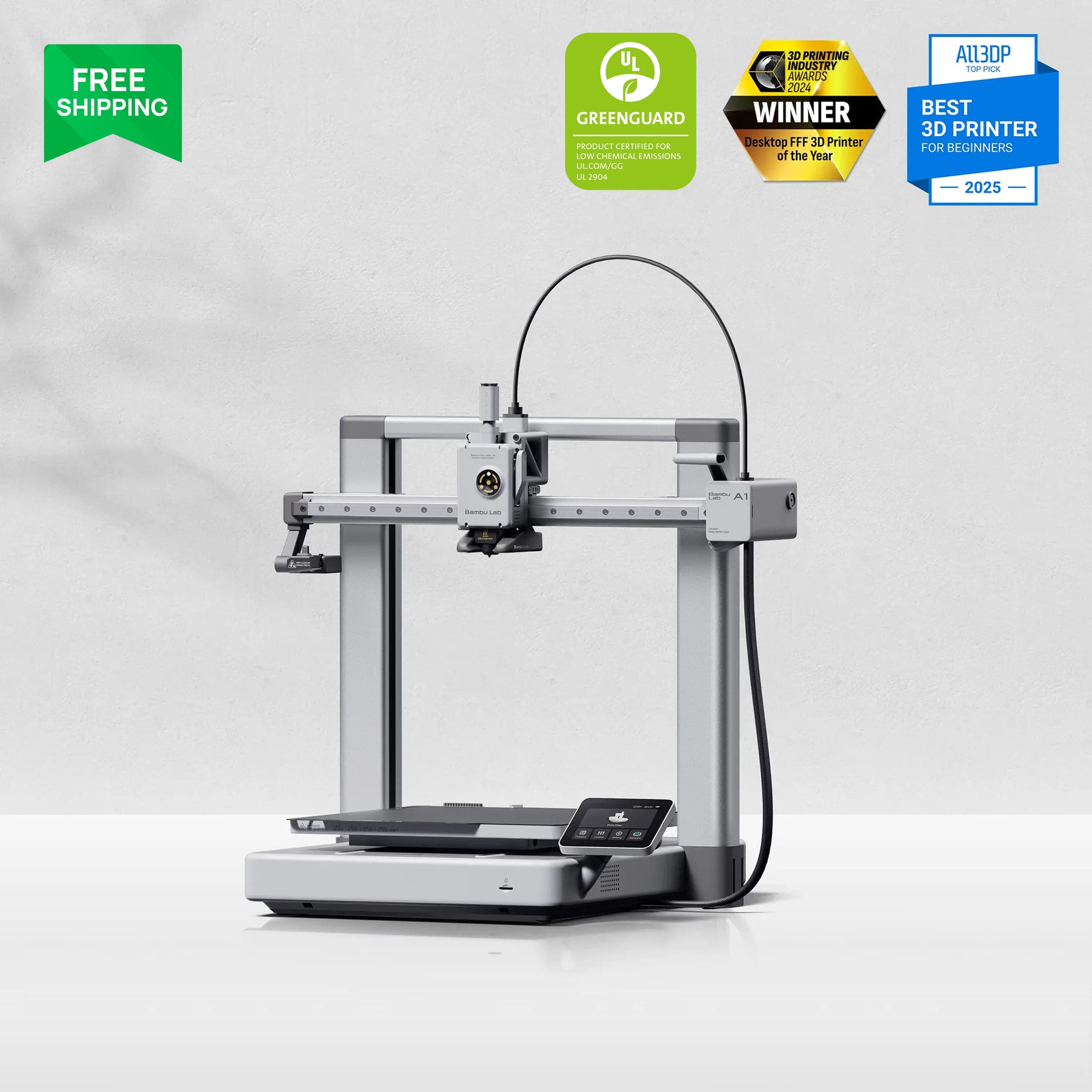 Check price on Amazon
Best for beginners
Bambu Lab A1The default first printer. If you print PLA and PETG, like most beginners, nothing else at this price is this easy.
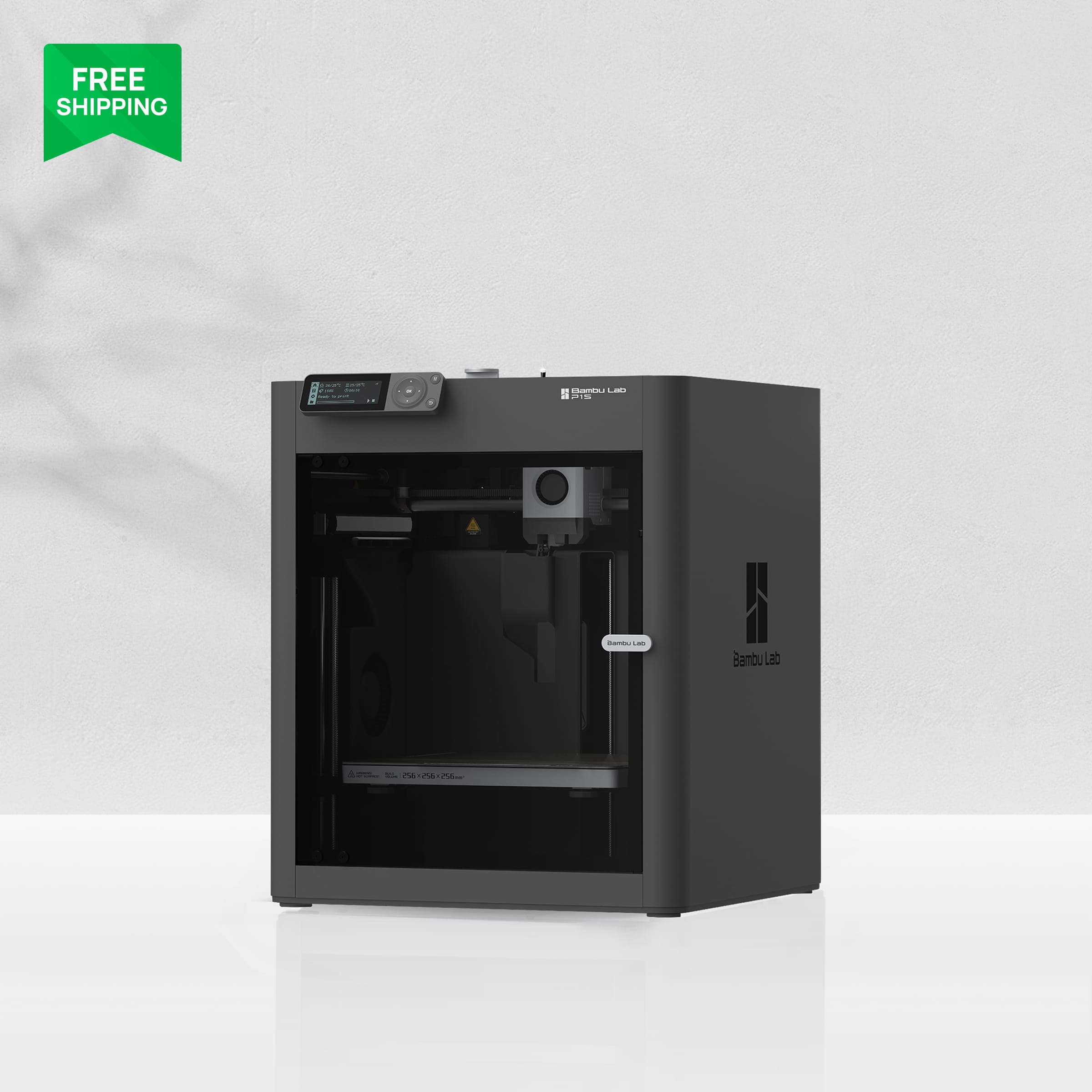 Check price on Amazon
Best value enclosure (on discount)
Bambu Lab P1SWorth buying only at a real discount, roughly $150+ under the P2S. At full price, the P2S wins.
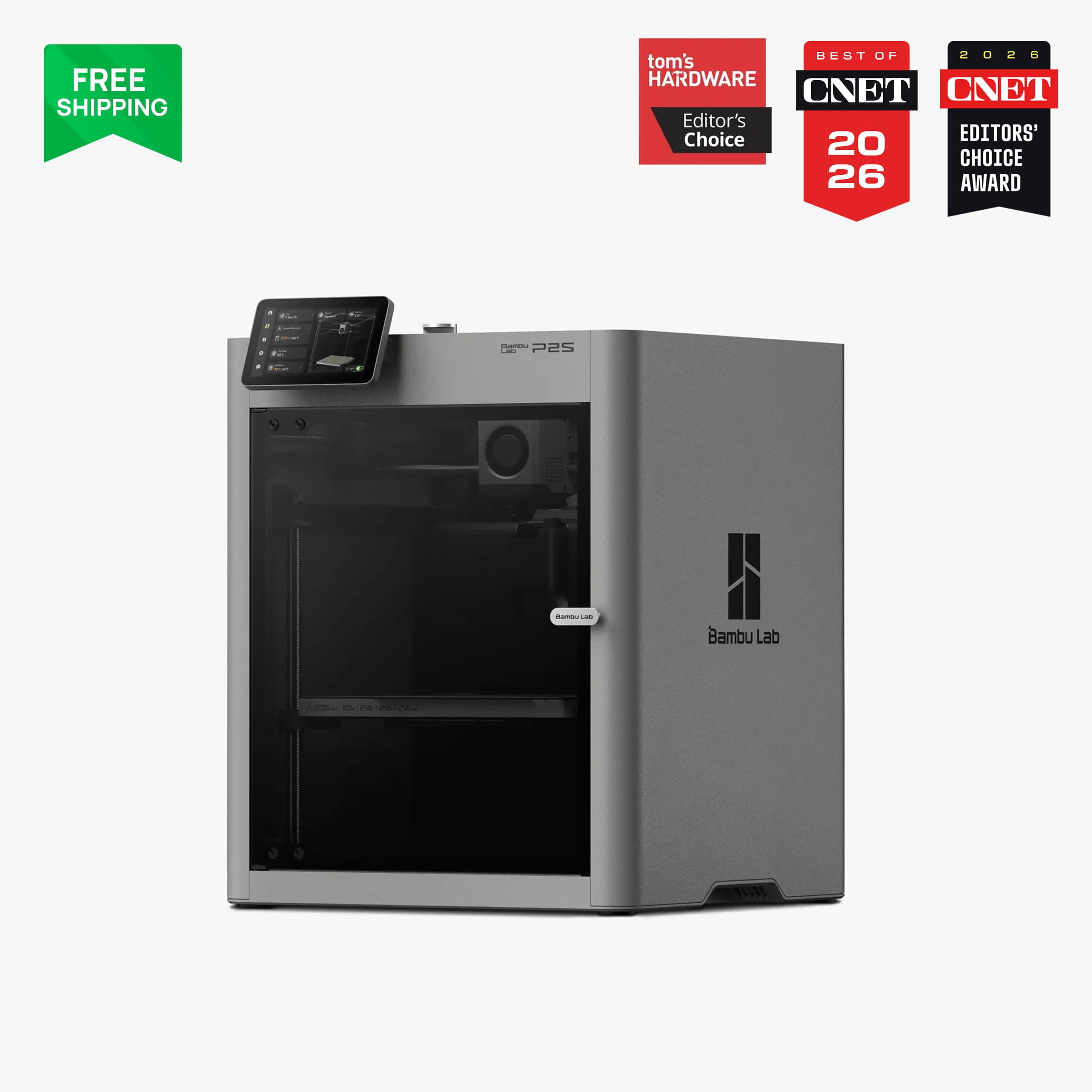 Check price on Bambu Lab
Safest long-term buy
Bambu Lab P2SIf the P1S isn't meaningfully cheaper, this is the one. It's better in nearly every way that matters going forward.
The Bambu Lab A1 and P1S sit in the same ~$399 price bracket, but they're fundamentally different machines. The A1 is an open-frame bed slinger, and the P1S is a fully enclosed CoreXY printer. For beginners, the choice mostly comes down to one question: do you need to print ABS or ASA? There's also a complication neither printer's marketing will mention. The P1S is being succeeded by the P2S, and that changes the math on every price tag.
This guide compares them category by category, then gives you decision rules that take the P2S into account.
A1 vs P1S at a glance
| Product | Price | Build volume | Enclosure | Best for |
|---|---|---|---|---|
| Bambu Lab A1Check price | ~$299–419 | 256 × 256 × 256 mm | No (open frame) | First printer, PLA/PETG only |
| Bambu Lab P1SCheck price | ~$399–549 | 256 × 256 × 256 mm | Yes | Enclosed ABS/ASA on a budget |
| Bambu Lab P2SCheck price | ~$549–749 | 256 × 256 × 256 mm | Yes | The safer long-term buy |
Prices verified October 2026. They move with sales, so check the live price before buying.
Price
Both printers carry a $399 MSRP, but street prices tell a different story. The A1 drops to ~$299 during Bambu's frequent promos, and the A1 Combo with AMS Lite lands around ~$399 to $419. The P1S sat at $399 after a brief dip to $369, with the P1S Combo (AMS) at ~$549.
That puts the real-world gap at roughly $100 between a discounted A1 and a discounted P1S on its own, and that $100 buys you an enclosure. That's the whole decision in a nutshell, as you'll see below.
The wrinkle is the P2S, the P1S's successor, at ~$549 on its own and ~$749 for the Combo. If you find the P1S at full price and the P2S only $150 more, the P1S stops making sense. The decision rules in the P2S section cover exactly this.
Build volume
It's a tie: all three machines print 256 × 256 × 256 mm, so nobody wins on volume here. If you need a bigger bed, you're shopping a different class of printer (our small-business guide covers 320 to 350 mm machines). For a beginner printing functional parts, toys, organizers, and cosplay pieces, 256 mm cubed covers the vast majority of models on the popular model sites.
Speed
The A1 and P1S are both rated at 500 mm/s top speed. The P1S has double the acceleration (20,000 mm/s² vs 10,000 mm/s²), which shows up as slightly faster travel moves and crisper corners on technical prints. In practice, for a beginner printing with default profiles, the difference is small. Both are dramatically faster than the budget bed slingers of a few years ago, and both finish a typical benchy-sized print in well under an hour.
The P2S raises top speed to 600 mm/s, but speed isn't what decides this comparison.
Materials: the category that decides it
This is the whole comparison. The A1's open frame limits it to PLA, PETG, TPU, and PVA. It can't reliably print ABS, ASA, polycarbonate, or nylon, because those materials warp and crack without a warm, stable chamber, and no amount of tuning fixes that.
The P1S's enclosure opens up ABS, ASA, PET, PA, and PC, which is what you want for parts that live in a hot car, hold mechanical loads, or go outdoors. Two caveats: the P1S ships with a stainless steel nozzle, so carbon-fiber and glass-fiber filaments are off the table (Bambu's own materials list excludes them), and nozzle swaps need a screwdriver.
If you won't print ABS or ASA in your first year (and for most beginners, honestly, you won't), the enclosure buys you nothing except a quieter, dust-free chamber. If the answer is yes or maybe, the A1 is the wrong printer and the comparison is over.
Multi-color
The A1 pairs with the AMS Lite (4 colors, ~$189 to $199 on its own, or ~$399 to $419 as the A1 Combo). The P1S uses the original AMS, which stacks up to 16 colors across four units and is compatible with the newer AMS 2 Pro.
In practice, 4 colors covers nearly every beginner multi-color project. The 16-color ceiling matters for print farms and ambitious multi-material work, not first printers. Both systems share the same downside: multi-color printing purges filament between color changes, and that waste adds up fast. If you're buying an AMS mostly for the novelty, budget for the purge waste.
Noise
The A1 is the quiet pick, at ≤48 to 49 dB in silent mode with active motor noise canceling. You can comfortably work next to it.
The P1S is louder than Bambu's marketing suggests. A 600-hour independent test measured peaks around 72 dB. That's no dealbreaker in a garage or spare room, but it's a real consideration if the printer will sit in a bedroom or a quiet apartment. This is one of the A1's underrated advantages: it's the better roommate.
Ease of use
The A1 is the more beginner-friendly machine, full stop. Calibration is fully automatic (including vibration and flow compensation), the hotend is a 1-clip quick-swap design, runout and tangle sensors are built in, and you go from unboxing to first print in under an hour. Bambu designed it for people who have never touched a 3D printer.
The P1S also auto-calibrates and is reliable, with mature, proven hardware, but its age shows in the details: a basic D-pad LCD instead of a touchscreen, a low-framerate camera with basic spaghetti detection and no object detection, and nozzle changes that need a screwdriver. None of that stops you from printing well, but the A1 feels like the newer product because it is.
The P2S fork: why the P1S's price matters more than its specs
Here's the complication. The P2S is the P1S's direct successor. It has 600 mm/s top speed, a stronger servo extruder, a hardened steel nozzle and gears as standard (so carbon fiber works out of the box), a 5-inch touchscreen, AI-assisted calibration, and the AMS 2 Pro with active filament drying. It keeps the same 256 mm build volume and is better in nearly every other way.
That makes the P1S a legacy product, and legacy products are only worth buying at legacy prices. Keep two things in mind.
The P1S is the previous generation, sold while stock lasts. Bambu's US store still sells it ($399, or $549 for the Combo, October 2026), but the P2S has replaced it in the lineup, and the remaining P1S stock sells at a discount. Assume feature development will go to the P2S.
The decision rules, based on the price gaps:
- P1S vs P2S gap of ~$150 or more (e.g., P1S at $399 vs P2S at $549): the P1S is the better deal if you only print PLA and PETG. You're getting a proven enclosed machine at a real discount.
- Gap under ~$100: buy the P2S. At that spread, its upgrades (touchscreen, quick-swap hotend, hardened nozzle, AI calibration) are worth it.
- A1 (
$299 street) vs discounted P1S ($399): the $100 gap buys you an enclosure and ABS/ASA capability. If there's any chance you'll print engineering materials, that's the cheapest $100 upgrade in 3D printing. If you're certain you'll stick to PLA/PETG, keep the $100. - P1S at full price with the P2S nearby: don't. A legacy machine at a current-generation price is the worst of both worlds.
A note on the P2S too: as a newer platform, it has newer-platform quirks. Reported issues include extruder overload errors on some units and vertical streaking (VFA) on certain prints, with firmware fixes documented in Bambu's wiki, plus PLA behaving oddly in a warm chamber. The P1S's hardware is older and more settled. Neither point should scare you off, but newer doesn't mean more debugged.
Who should buy which
Buy the A1 if: it's your first printer, you'll print PLA and PETG (which covers most beginners for their first year or longer), the printer will live in a living space where noise matters, and you want the easiest possible start. At ~$299 on sale, it's the best value in beginner 3D printing.
Buy the P1S if: you want ABS/ASA capability and you find it at a real discount, roughly $150+ under the P2S. At that price it's a proven enclosed workhorse. Don't pay full price for it.
Buy the P2S instead if: the P1S is sitting near full price, you want multi-color with active drying, or you want the longest software support. It's the safest long-term buy of the three.
Image: Bambu LabBambu Lab A1
The default first printer. If you print PLA and PETG, like most beginners, nothing else at this price is this easy.
Good stuff
- Cheapest way into Bambu's ecosystem
- Quietest of the three
- Easiest setup and calibration
- Quick-swap hotend, no tools
Watch out for
- Open frame: no ABS/ASA/nylon
- AMS Lite costs extra for multi-color
- Bed needs front/back clearance
- Closed ecosystem, cloud-connected
Image: Bambu LabBambu Lab P1S
Worth buying only at a real discount, roughly $150+ under the P2S. At full price, the P2S wins.
Good stuff
- Full enclosure for ABS/ASA at a budget price
- Mature, proven hardware
- Up to 16-color AMS support
- Print quality matches pricier machines
Watch out for
- Legacy product; P2S is the successor
- Screwdriver nozzle changes
- Weak camera, no AI detection
- Louder than marketing claims
- No carbon/glass-fiber filaments
Image: Bambu LabBambu Lab P2S
If the P1S isn't meaningfully cheaper, this is the one. It's better in nearly every way that matters going forward.
Good stuff
- Hardened nozzle handles composites stock
- Touchscreen and quick-swap hotend
- AMS 2 Pro with active drying
- AI-assisted calibration
- Longest support runway
Watch out for
- ~$150+ more than a discounted P1S
- Newer platform with reported early quirks
- Closed ecosystem, proprietary parts
- Loud at full speed
FAQ
Can the Bambu Lab A1 print ABS?
Not reliably. Its open frame can't hold the warm, stable chamber temperature ABS needs, so prints warp and crack. For ABS or ASA you need an enclosed printer like the P1S or P2S.
Is the Bambu Lab P1S being discontinued?
It's the previous-generation model. Bambu still sold it in October 2026, but the P2S has replaced it in the lineup, and the P1S sells at a discount while stock lasts.
Should I just buy the P2S instead of the P1S?
If the price gap is under ~$100, yes. The P2S is better in nearly every way. The P1S only wins when it's discounted ~$150 or more below the P2S.
Is the A1 too big for a desk? It's a bed slinger.
The moving bed needs clearance in front and behind the printer, so measure your space. The P1S's CoreXY design keeps everything inside its footprint, which is tidier on a crowded desk.
Which is quieter, the A1 or P1S?
The A1, by a clear margin: around 48 to 49 dB in silent mode with motor noise canceling, versus ~72 dB peaks measured on the P1S in independent testing.
Do I need the AMS multi-color system as a beginner?
No. Start with single color and learn the machine first. Multi-color adds purge waste and complexity, so add an AMS later once you have a project that actually needs it.
Prices verified October 2026. They move with sales, so check the live price before buying. As an affiliate site, we may earn a commission on purchases made through our links, at no extra cost to you. Read our affiliate disclosure.
Related guides
- ReviewBambu Lab A1 Review (2026): The Easiest First 3D PrinterBambu Lab A1 review: the easiest first 3D printer at $299 — quiet, auto-calibrated, and beginner-proof, with honest limits on materials.
- ReviewBambu Lab P1S Review (2026): Great Printer, Only Worth It on SaleThe Bambu Lab P1S at $399 clearance: a previous-generation CoreXY that still prints — but only worth it on sale. Full review for 2026 buyers.
- Buying guideBest 3D Printer for Cosplay in 2026Large-format 3D printers for cosplay helmets and armor, ranked by build volume and long-print reliability — plus a small-prop specialist for detail work.