Best Multicolor 3D Printer in 2026
Most beginners do not need multicolor printing. For those who do, these are the best multicolor printers by budget, with purge waste explained honestly.
Updated · We may earn a commission from links on this page. How that works
Our top picks
 Check price on Amazon
Best cheap multicolor
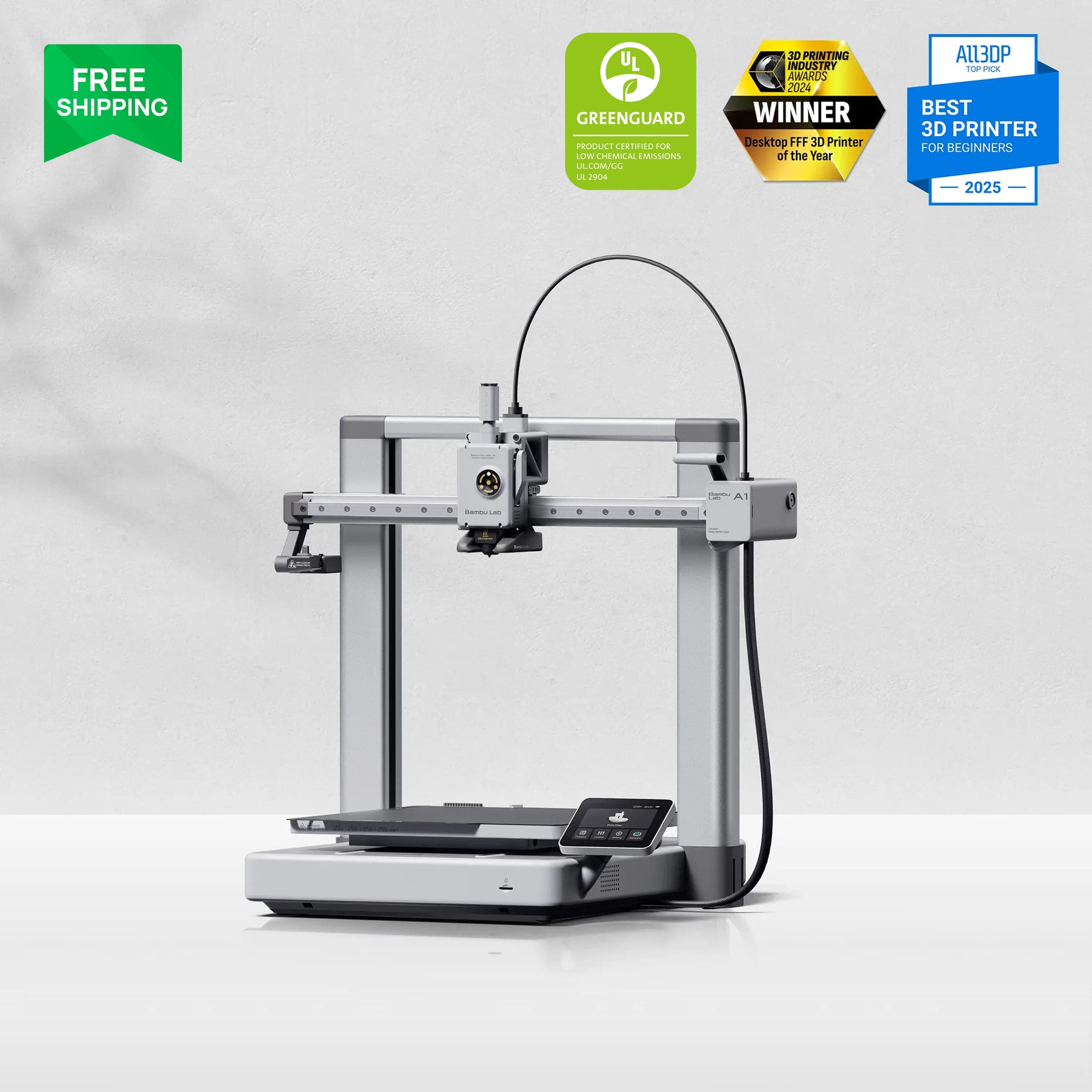
Bambu Lab A1The multicolor pick for people who are not sure they need multicolor. Buy it as a great first printer, and treat 4-color printing as a bonus.
 Check price on Bambu Lab
Best small multicolor
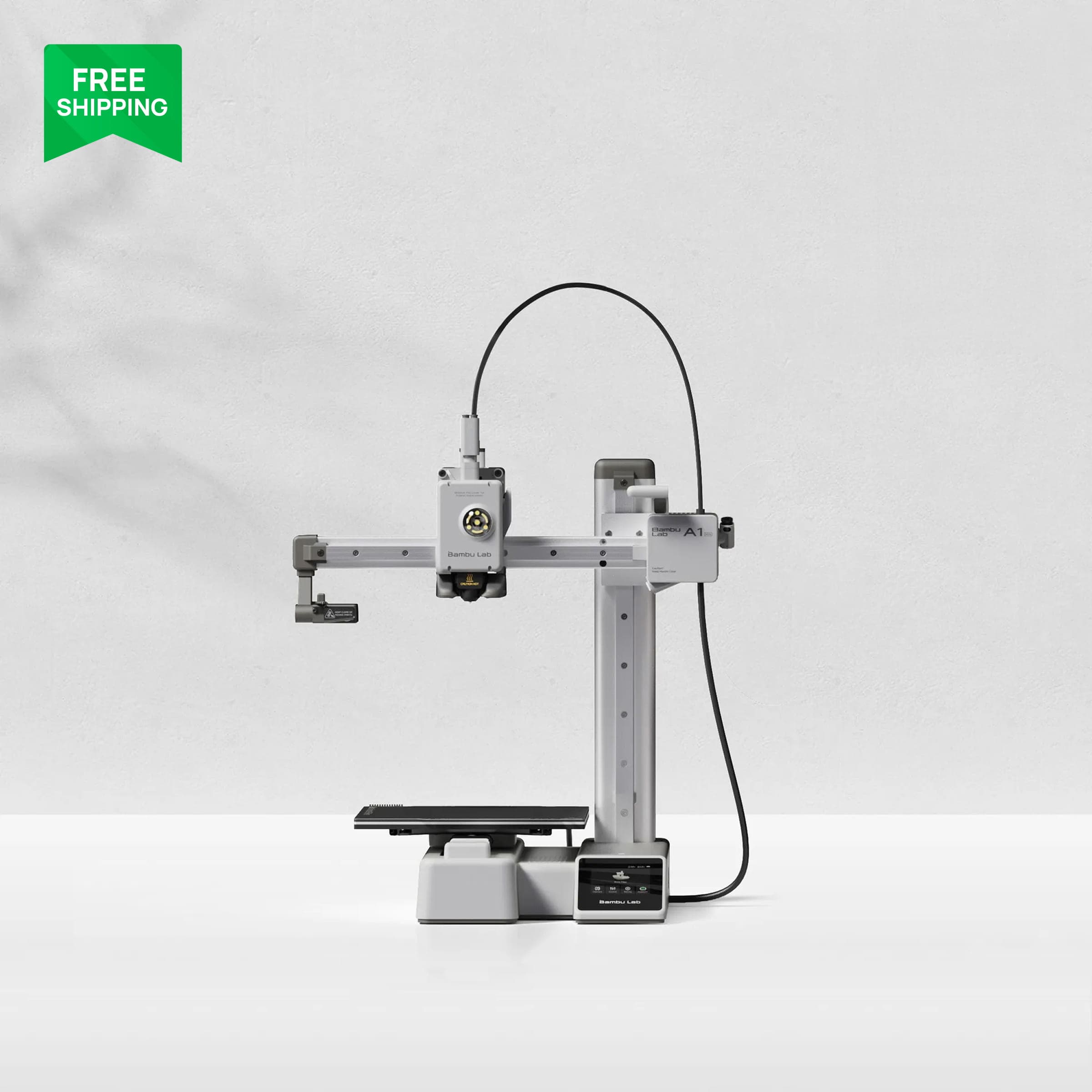
Bambu Lab A1 MiniThe small-desk version of the A1 Combo. Check the Combo price before publishing, since sources disagree.
 Check price on Elegoo
Best budget enclosed
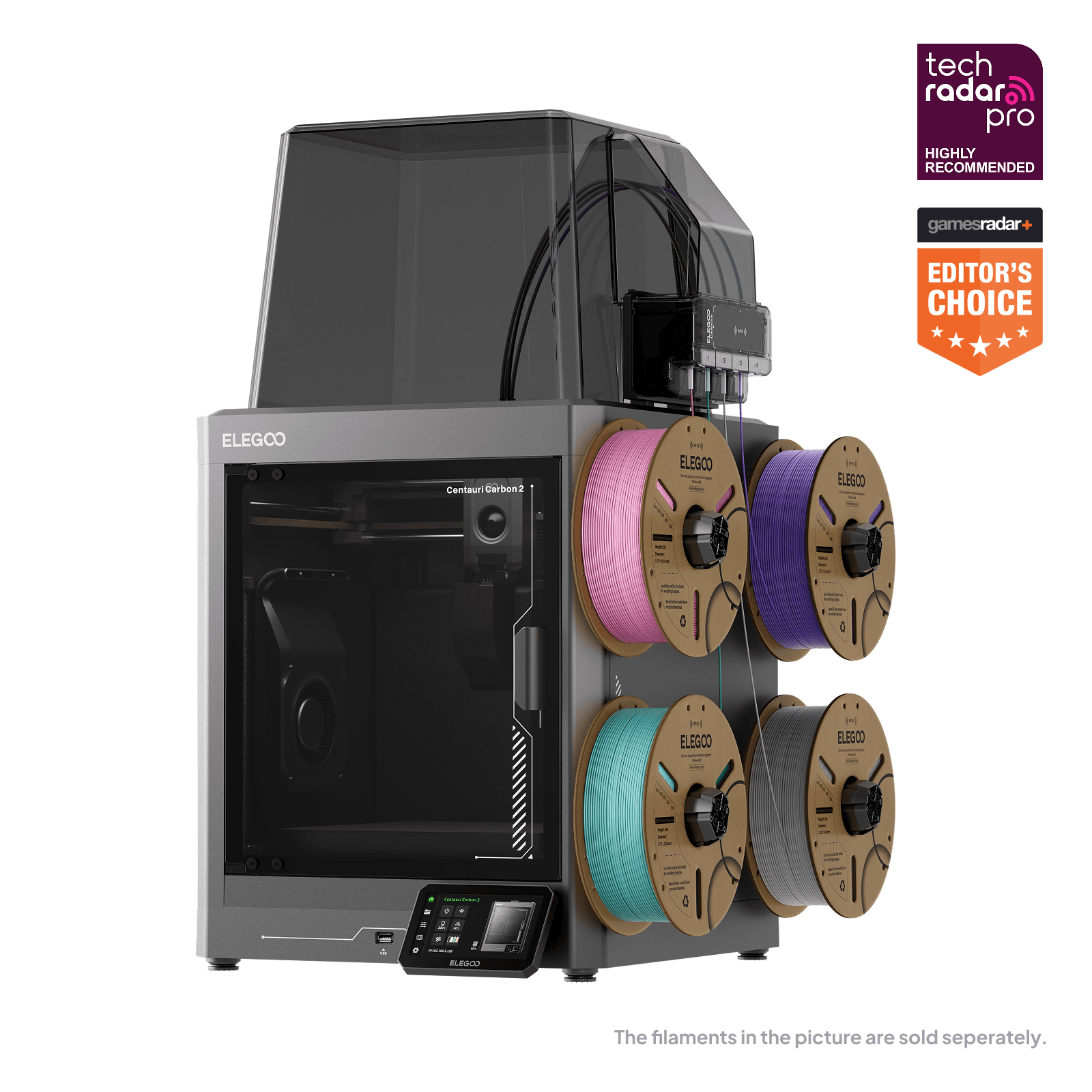
Elegoo Centauri Carbon 2 ComboThe value enclosed pick. Verify the sale price at publish time, since the watcher claim and the live page disagree.
 Check price on Bambu Lab
Best enclosed multicolor
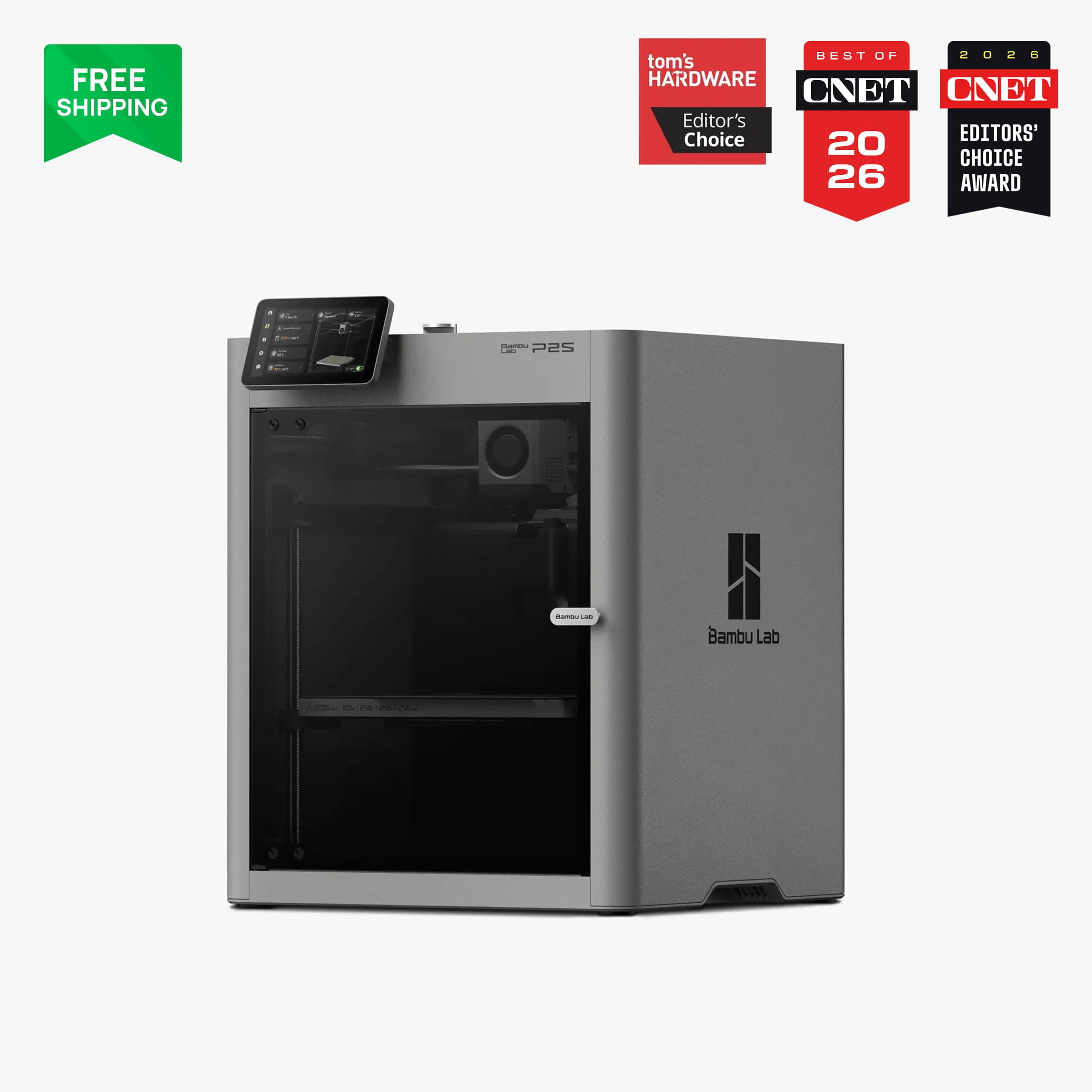
Bambu Lab P2SThe default enclosed multicolor pick. Pay the premium only if you print multicolor regularly.
 Check price on Creality
Best large-format multicolor
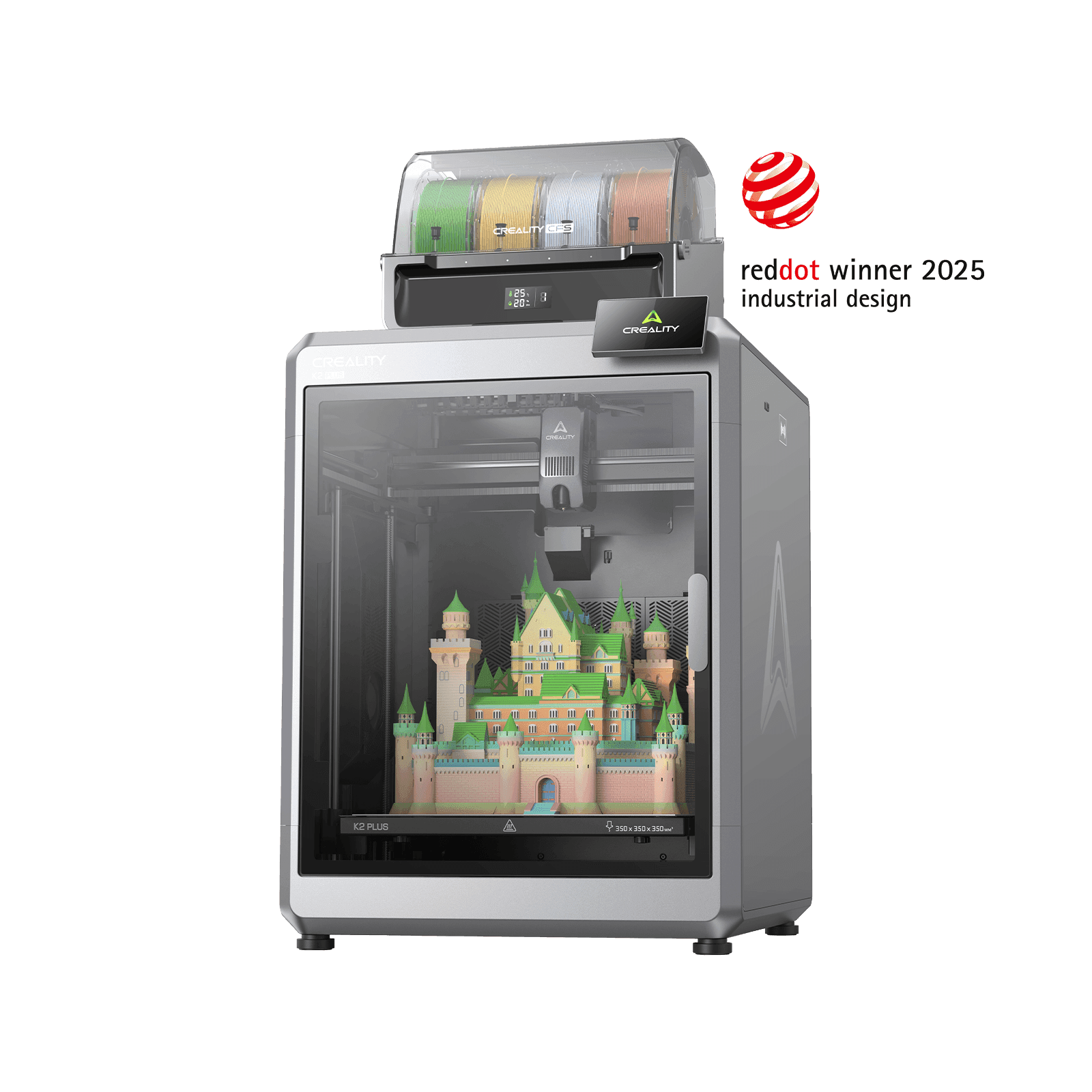
Creality K2 Plus ComboThe big-model multicolor pick. The only option here for prints over 256 mm in any dimension.
Most beginners do not need a multicolor printer. That is the honest starting point for this guide, and it is worth saying before any pick: a single-color printer prints everything a beginner needs to learn the hobby, and multicolor adds cost, waste and waiting time to every print that uses it. Buy multicolor only if you already know you want multi-color models, signs, figurines or cosplay insignia on a regular basis. If you are unsure, buy the best single-color printer in your budget and skip this guide.
For those who do want it, the picks below are ranked by budget, not by maximum color count. Every mainstream system here works the same way, and understanding that one mechanism explains most of the trade-offs.
Prices and specs checked 25 October 2026. Prices move with sales, so check the live price before buying.
The short answer
- Cheapest credible multicolor printer: the Bambu Lab A1 Combo at ~$399. It is a great beginner printer that happens to do 4-color printing, not a multicolor machine first.
- Best enclosed multicolor printer under $800: the Bambu Lab P2S Combo at ~$749, with the newer AMS 2 Pro and active drying.
- Best budget enclosed alternative: the Elegoo Centauri Carbon 2 Combo, watcher price ~$399, with a sale price of $369 seen on Elegoo's own page on 25 October 2026 (see the price note in its section).
- Best large-format multicolor printer: the Creality K2 Plus Combo at ~$1,199.
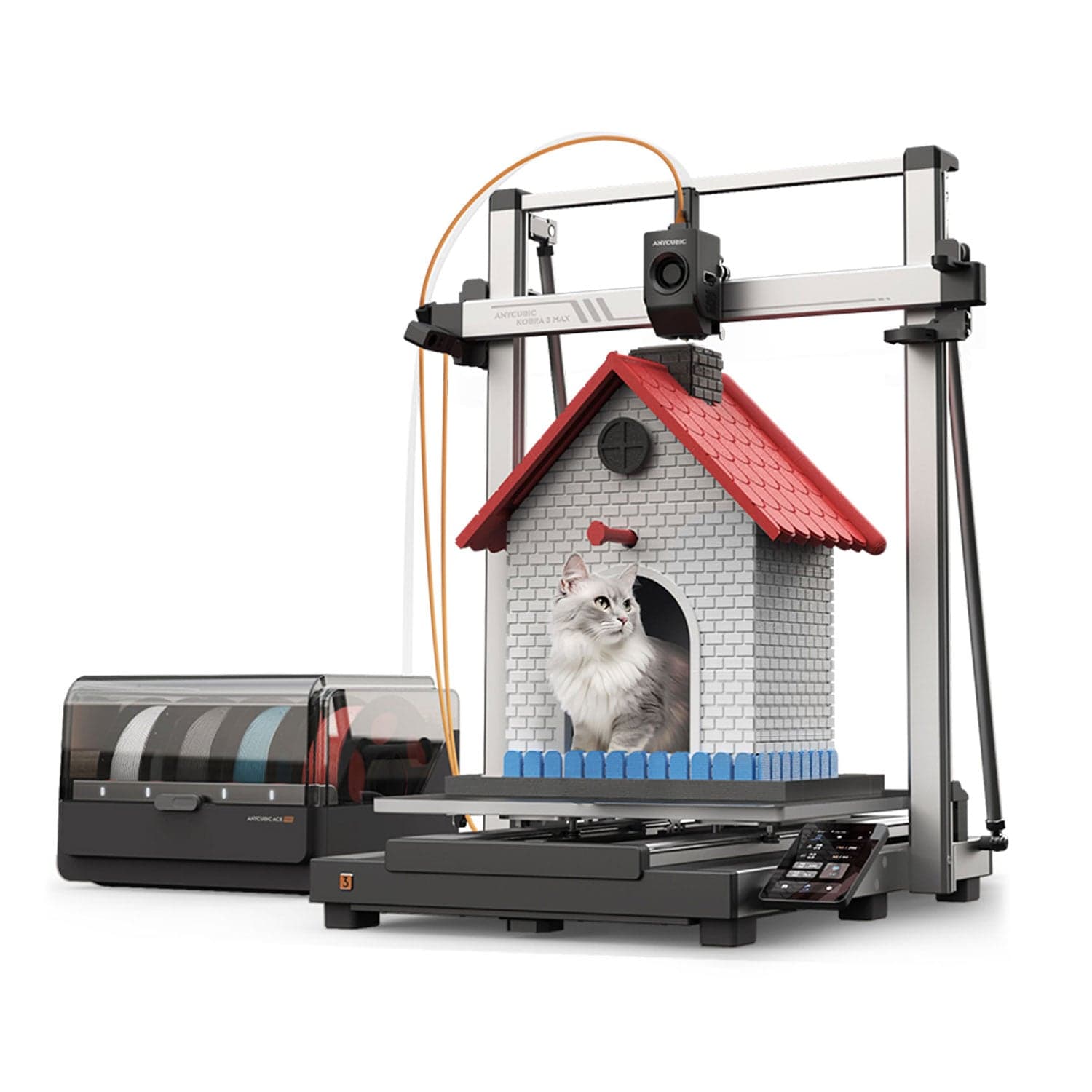
- Skip for now: the Anycubic Kobra 3 Max Combo, out of stock as of 25 October 2026.
How multicolor printing actually works
Nearly every printer in this guide uses a single-nozzle feeder system. A box beside the printer holds up to 4 spools. When the print needs a new color, the feeder retracts the old filament, feeds the new one through the same nozzle, and purges the transition into a waste tower or bin. That is the whole mechanism, and it has two costs you cannot engineer away: wasted filament on every color change, and extra time on every swap.
The alternatives are dual-nozzle and tool-changer machines. A dual-nozzle printer keeps two colors loaded at once, so swaps between those two need no purge. A tool-changer swaps whole print heads, each with its own nozzle and filament, so color changes cost almost no purge at all. Both are covered briefly at the end of this guide, because they cost far more than beginner budgets allow.
Color counts per system, verified 25 October 2026:
| Product | System | Colors per unit | Maximum stacked | Used by |
|---|---|---|---|---|
| Bambu Lab A1Check price | AMS Lite | 4 | 4 (no stacking) | A1, A1 Mini |
| Bambu Lab P2SCheck price | AMS 2 Pro | 4 | 24 (with AMS HT units) | P2S, H2 series |
| Creality K2 Plus ComboCheck price | CFS | 4 | 16 (4 units) | K2 Plus |
 Anycubic Kobra 3 MaxCheck price Anycubic Kobra 3 MaxCheck price | ACE Pro | 4 | 8 (2 units) | Kobra 3 Max |
| Elegoo Centauri Carbon 2 ComboCheck price | CANVAS | 4 | 4 (no stacking stated) | Centauri Carbon 2 Combo |
The original Bambu AMS (on the P1S Combo) holds 4 colors per unit and stacks to 16 with an AMS Hub. The P2S uses the newer AMS 2 Pro, which adds active drying up to 65°C and support for a wider filament range, including TPU designed for AMS use.
Purge waste and time: the real cost of multicolor
This is the section most multicolor guides skip, and it is the one that decides whether you will actually enjoy owning one of these machines.
A standard Bambu color change purges about 84 mm³ of filament, roughly 0.106 g of PLA, and takes around 1.3 minutes of machine time per change for the park, cut, load, purge, prime and wipe sequence (derived from Bambu's own slicer profile, via x3dstudios). That sounds small until you multiply it: a model with hundreds of color changes spends hours just swapping filament.
Measured examples make it concrete:
- A 4-color frog printed three ways (CrafterD, measured on a kitchen scale): single nozzle, 87.2 g total and 5 h 15 min; AMS plus two nozzles, 68 g and 3 h 40 min; two colors on two nozzles with no AMS, 23.53 g and 1 h 07 min.
- A measured Benchy on an Anycubic single-nozzle family machine: a 10.9 g model produced 183 g of purge, with roughly 2 minutes per swap, and a four-color model can run 8 to 9 times longer than the same model in one color (VoxelMatters testing, via 3dprintverdict).
- A torture test on an Elegoo Centauri Carbon test unit: 850 g of filament for a 250 g model, over 1,100 filament changes, 30 hours (How-To Geek).
Our own P1S review cites the same pattern: one multicolor benchmark took 4 hours on the P1S versus 1 h 37 min on a dual-nozzle competitor. The rule of thumb for a buyer: if you print multicolor often, budget roughly double the filament and double the time versus the single-color version of the same model, and much more on color-change-heavy designs. Purge settings can be tuned down in the slicer, but every gram saved risks color bleeding into the next section.
Our top picks at a glance
| Product | Price | Colors | Build volume | Best for |
|---|---|---|---|---|
| Bambu Lab A1Check price | ~$399 Combo | 4 (AMS Lite) | 256 × 256 × 256 mm | Cheapest credible multicolor |
| Bambu Lab A1 MiniCheck price | ~$329 Combo (see note) | 4 (AMS Lite) | 180 × 180 × 180 mm | Small spaces, small budget |
| Elegoo Centauri Carbon 2 ComboCheck price | ~$399 (see note) | 4 (CANVAS) | 256 × 256 × 256 mm | Budget enclosed multicolor |
| Bambu Lab P2SCheck price | ~$749 Combo | 4 (AMS 2 Pro) | 256 × 256 × 256 mm | Best enclosed multicolor |
| Creality K2 Plus ComboCheck price | ~$1,199 Combo | 4 (CFS) | 350 × 350 × 350 mm | Large-format multicolor |
Best cheap multicolor printer: Bambu Lab A1 Combo
The A1 Combo is the cheapest credible way into multicolor printing, and it is also simply the best beginner printer on this list. The Combo pairs the A1 with the AMS Lite, a 4-color external feeder, for ~$399 (Bambu US store, price watcher, checked 24 October 2026; solo A1 is ~$299). You get the same beginner-friendly machine our A1 review recommends, with multicolor as a bonus rather than the reason to buy.
The caveats come from our A1 review and still apply. The AMS Lite is external, so it adds footprint beside the printer. It does not support TPU, wet PVA or BVOH, or carbon and glass-fiber filaments, and glow-in-the-dark PLA is not recommended. Our review also notes the feeder motors can chew through poorly wound cheap spools; that is a review observation, not a Bambu specification, so treat it as a reason to buy decently wound filament rather than a guaranteed failure. Most importantly, do not buy the A1 for multicolor. As our review puts it, it is a single-color printer that can do party tricks.
Best for: beginners who want multicolor occasionally and want the best first printer anyway.
Image: Bambu LabBambu Lab A1
The multicolor pick for people who are not sure they need multicolor. Buy it as a great first printer, and treat 4-color printing as a bonus.
Good stuff
- Cheapest credible multicolor at ~$399 Combo
- Best beginner printer overall, not just for multicolor
- AMS Lite adds 4 colors for roughly $100 over solo
Watch out for
- AMS Lite is external and adds footprint
- No TPU or carbon-fiber filament through the AMS Lite
- Single-nozzle purge waste on every color change
Best small multicolor printer: Bambu Lab A1 Mini Combo
The A1 Mini Combo is the same AMS Lite idea on a smaller machine: 180 × 180 × 180 mm build volume, same beginner-friendly setup, smaller desk footprint. It suits a bedroom desk or a buyer who prints small models and figurines.
Price note, flagged rather than smoothed over: two third-party sources disagree on the Combo price, at $329 and $315.50, and no price watcher source exists for this product yet. Do not quote either figure as verified until the Bambu US store page for the A1 Mini Combo is checked at publish time. The solo A1 Mini is ~$219 (price watcher, checked 24 October 2026, in stock).
Best for: small spaces and small models, where the A1's full build volume would go unused.
Image: Bambu LabBambu Lab A1 Mini
The small-desk version of the A1 Combo. Check the Combo price before publishing, since sources disagree.
Good stuff
- Smallest footprint of any multicolor pick
- Same AMS Lite 4-color system as the A1
- Lowest entry cost if the Combo price holds near $329
Watch out for
- 180 mm build volume limits larger models
- Combo price unverified at publish time (see note)
- Same AMS Lite filament limits as the A1
Best budget enclosed multicolor printer: Elegoo Centauri Carbon 2 Combo
The Centauri Carbon 2 Combo is the budget enclosed pick: a 256 mm enclosed cube with Elegoo's CANVAS 4-color feeder, aimed squarely at buyers who want an enclosure and multicolor without paying Bambu P2S money.
Price note, flagged rather than smoothed over: the price watcher claim is ~$399 (checked 24 October 2026, in stock), but Elegoo's own US product page showed $369 on sale on 25 October 2026 with add-to-cart available. A reader clicking through today sees $369, so quote the watcher figure only with the sale noted, or update the claim to the sale price at publish time. What the Combo's CANVAS unit is: a 4-color single-nozzle feeder, with no stacking stated, so 4 colors is the ceiling.
One verified Elegoo limitation: mixing materials like PLA and TPU in one print is not supported on this system (Elegoo US bundle page Q and A). A full official CANVAS filament compatibility list could not be verified at writing time, so do not promise materials beyond PLA, PETG and the standard rigid filaments until that list is confirmed.
Best for: buyers who want an enclosed printer and 4-color printing at the lowest credible price.
Image: ElegooElegoo Centauri Carbon 2 Combo
The value enclosed pick. Verify the sale price at publish time, since the watcher claim and the live page disagree.
Good stuff
- Enclosed 256 mm printer with 4-color feeder near $399
- Sale price of $369 seen on Elegoo's page 25 October 2026
- Strong value against the P2S Combo
Watch out for
- CANVAS caps at 4 colors, no stacking
- No verified full filament compatibility list yet
- Mixing PLA and TPU in one print is not supported
Best enclosed multicolor printer: Bambu Lab P2S Combo
The P2S Combo is the pick for buyers who want multicolor done as well as a single-nozzle system can do it. The P2S itself is the newer Bambu platform (see our P1S vs P2S comparison), and the Combo pairs it with the AMS 2 Pro: 4 colors per unit, stackable to 24 with AMS HT units, active drying to 65°C, and a wider supported filament list that includes TPU designed for AMS use.
Price: ~$749 Combo (Bambu US store, price watcher, checked 24 October 2026, in stock; solo P2S is ~$549). That is $350 over the A1 Combo for an enclosed printer, a touchscreen, AI-assisted calibration, a hardened nozzle and gears as standard, and a drying AMS. Whether that is worth it depends on how much multicolor you actually print: for occasional multicolor, it is not; for regular multicolor in an enclosed machine, it is the default recommendation.
Best for: regular multicolor printing in an enclosed printer, with drying built in.
Image: Bambu LabBambu Lab P2S
The default enclosed multicolor pick. Pay the premium only if you print multicolor regularly.
Good stuff
- AMS 2 Pro with active drying to 65°C
- Widest AMS filament support, including AMS-rated TPU
- Enclosed printer with hardened nozzle and gears standard
- Stacks to 24 colors with AMS HT units
Watch out for
- ~$749 Combo is $350 over the A1 Combo
- Still single-nozzle purge waste
- Overkill if multicolor is occasional
Best large-format multicolor printer: Creality K2 Plus Combo
The K2 Plus Combo is the only pick here with a genuinely large build volume: 350 × 350 × 350 mm, with Creality's CFS 4-color feeder, stackable to 16 colors with 4 units. Price: ~$1,199 Combo (price watcher, checked 24 October 2026, in stock; US retailer listings agree).
Two caveats carry over from our other guides. Our cosplay guide notes the CFS feeder needs occasional babysitting, so expect hands-on attention on long multicolor jobs. And the CFS manual excludes flexible TPU, damp BVOH and PVA, and warped cardboard spools; sound cardboard spools are fine, warped ones are not, so do not write a blanket cardboard ban for this system.
Best for: large multicolor models, cosplay parts and helmets that exceed 256 mm.
Image: CrealityCreality K2 Plus Combo
The big-model multicolor pick. The only option here for prints over 256 mm in any dimension.
Good stuff
- 350 mm build volume, largest here
- CFS stacks to 16 colors
- Enclosed printer at ~$1,199
Watch out for
- CFS needs occasional babysitting on long jobs
- No flexible TPU through the CFS
- Warped cardboard spools excluded
Mentioned with a stock note: Anycubic Kobra 3 Max Combo
The Kobra 3 Max Combo (with ACE Pro, 4 colors per unit, 8 with two units) would otherwise belong on this list, but it is out of stock at Anycubic as of 25 October 2026 (price watcher, $499 Combo claim, out of stock since at least 20 October 2026). Mention it only with that note: do not send readers to buy a sold-out product. Our under $500 guide also lists the smaller Kobra 3 under "skip" for multicolor failures, so stay consistent with that verdict and do not recommend the Kobra 3 family for multicolor until stock and reliability both improve.
Filament compatibility per system
A multicolor feeder is pickier than a bare printer, and the limits differ by system. The safe summary, verified 25 October 2026:
- AMS Lite: no TPU, no wet PVA or BVOH, no carbon or glass-fiber filament. Glow-in-the-dark PLA not recommended. Spool width 40 to 68 mm.
- AMS 2 Pro: widest support, including AMS-rated TPU. No generic TPU, no TPE, no damp PVA or BVOH. Active drying to 65°C.
- CFS: no flexible TPU, no damp BVOH or PVA, no warped cardboard spools. Sound cardboard is fine.
- ACE Pro: supported rigid filaments include PLA, PETG, ABS, ASA, PET, PA, PC, PP and HIPS, with active drying to 55°C. Anycubic's own pages conflict on TPU, with one page excluding TPU 95A and another listing TPU as suitable for drying, so the safe line is that soft TPU is restricted.
- CANVAS: no verified full compatibility list at writing time, and mixing PLA with TPU in one print is not supported.
If you print TPU regularly, none of these feeders is the right tool except the AMS 2 Pro with AMS-rated TPU. Print TPU on the bare printer instead.
What about dual-nozzle and tool-changer machines?
These solve the purge problem properly, but none fits a beginner budget, so they get a short section rather than full picks. Prices below are third-party or retailer figures from October 2026, not verified official-store reads at writing time, and are included only to show the price gap:
- Bambu H2D (dual nozzle): around $1,549 on sale, $1,749 for the AMS Combo, per October 2026 comparisons. Two nozzles mean two colors with no purge; a third color brings purge back on the AMS-fed nozzle.
- Bambu H2C (nozzle changer): around $2,199 for the AMS Combo, per September 2026 comparisons. Two active nozzles plus a six-station changer gives 7 materials without flushing.
- Snapmaker U1 (tool-changer, 4 toolheads): around $849 on sale, per October 2026 comparisons, with vendor-adjacent claims of roughly 4 g of waste per 90 color swaps against hundreds of grams on single-nozzle machines. Treat that claim with caution, since it comes from a vendor-adjacent source.
- Prusa XL (tool-changer): the 2- and 5-toolhead versions are true multicolor machines, but official US-dollar complete-printer prices could not be verified at writing time because Prusa's store served Canadian-dollar pricing to this session. A single-toolhead XL is not a multicolor printer at all.
The honest summary: if purge waste is your main objection to multicolor, the real answer is a tool-changer, and the real price of that answer starts around $849 and climbs fast. For most beginners, the better answer is to print multicolor rarely on a feeder system and accept the waste.
Who should buy which
- Unsure about multicolor: Bambu A1 Combo. Best first printer, multicolor included.
- Small desk, small models: A1 Mini Combo, once its Combo price is verified.
- Enclosed printer on a budget: Centauri Carbon 2 Combo, with the sale price checked at publish time.
- Regular multicolor in an enclosed printer: P2S Combo.
- Large models: K2 Plus Combo.
- Heavy multicolor use, purge waste a dealbreaker: save for a tool-changer, starting with the Snapmaker U1 class, and accept that it is not a beginner purchase.
Our picks, recapped
- Check price on Amazon
Best cheap multicolor
Bambu Lab A1The multicolor pick for people who are not sure they need multicolor. Buy it as a great first printer, and treat 4-color printing as a bonus.
- Check price on Bambu Lab
Best small multicolor
Bambu Lab A1 MiniThe small-desk version of the A1 Combo. Check the Combo price before publishing, since sources disagree.
- Check price on Elegoo
Best budget enclosed
Elegoo Centauri Carbon 2 ComboThe value enclosed pick. Verify the sale price at publish time, since the watcher claim and the live page disagree.
- Check price on Bambu Lab
Best enclosed multicolor
Bambu Lab P2SThe default enclosed multicolor pick. Pay the premium only if you print multicolor regularly.
- Check price on Creality
Best large-format multicolor
Creality K2 Plus ComboThe big-model multicolor pick. The only option here for prints over 256 mm in any dimension.
FAQ
Is multicolor 3D printing worth it?
Only if you print multi-color models regularly. For occasional use, the purge waste and extra print time outweigh the novelty. Most beginners are better served by a great single-color printer, with multicolor as a bonus on the A1 Combo rather than the reason to buy.
What is the cheapest multicolor 3D printer?
The Bambu Lab A1 Combo at ~$399 (checked 24 October 2026) is the cheapest credible multicolor printer. Cheaper multicolor claims exist, but they come from machines with reliability or support problems that cost more in failed prints than they save at purchase.
Do I need a multicolor 3D printer?
Probably not yet. If every model you want to print is one color, or you are happy painting prints, a single-color printer does everything you need. Multicolor earns its keep for signs, figurines, cosplay insignia and models where separate colors are part of the design.
How does multicolor 3D printing work?
On nearly every beginner machine, a feeder box holds up to 4 spools and swaps filament through a single nozzle, purging the transition each time. Dual-nozzle machines keep two colors loaded with no purge between them, and tool-changers swap whole print heads so color changes cost almost no purge.
How to make multicolor 3D prints?
Design or download a model with separate parts per color, assign each part a filament slot in your slicer, and let the feeder handle swaps. Keep color changes per layer low where you can, since each change adds purge waste and minutes, and dry your filament first, since wet filament strings badly on multicolor jobs.
Further reading
- Bambu Lab A1 review: covers the AMS Lite caveats and why not to buy the A1 for multicolor alone.
- Bambu Lab P1S review: the purge-waste benchmark cited above.
- Best 3D printers under $500: its "is multi-color worth it" section.
- Best 3D printer for cosplay: multicolor insignia.
- P1S vs P2S: the newer-platform comparison behind the P2S Combo pick.
Related guides
- Buying guideBest 3D Printer for Cosplay in 2026Large-format 3D printers for cosplay helmets and armor, ranked by build volume and long-print reliability, plus a small-prop specialist for detail work.
- Buying guideBest 3D Printer Under $500 in 2026Budget 3D printers that won't punish beginners, ranked on setup ease, reliability, and honest total cost, from the $197 floor to a $399 stretch pick.
- Buying guideBest 3D Printer for Small Business in 2026The most reliable 3D printers for prototypes, custom products, and short-run manufacturing, ranked for uptime and total cost.