Bambu Lab A1 Review (2026): The Easiest First 3D Printer
Bambu Lab A1 review: the easiest first 3D printer at $299 — quiet, auto-calibrated, and beginner-proof, with honest limits on materials.
Updated · We may earn a commission from links on this page. How that works
Quick answer
 Check price on Amazon
Best beginner printer
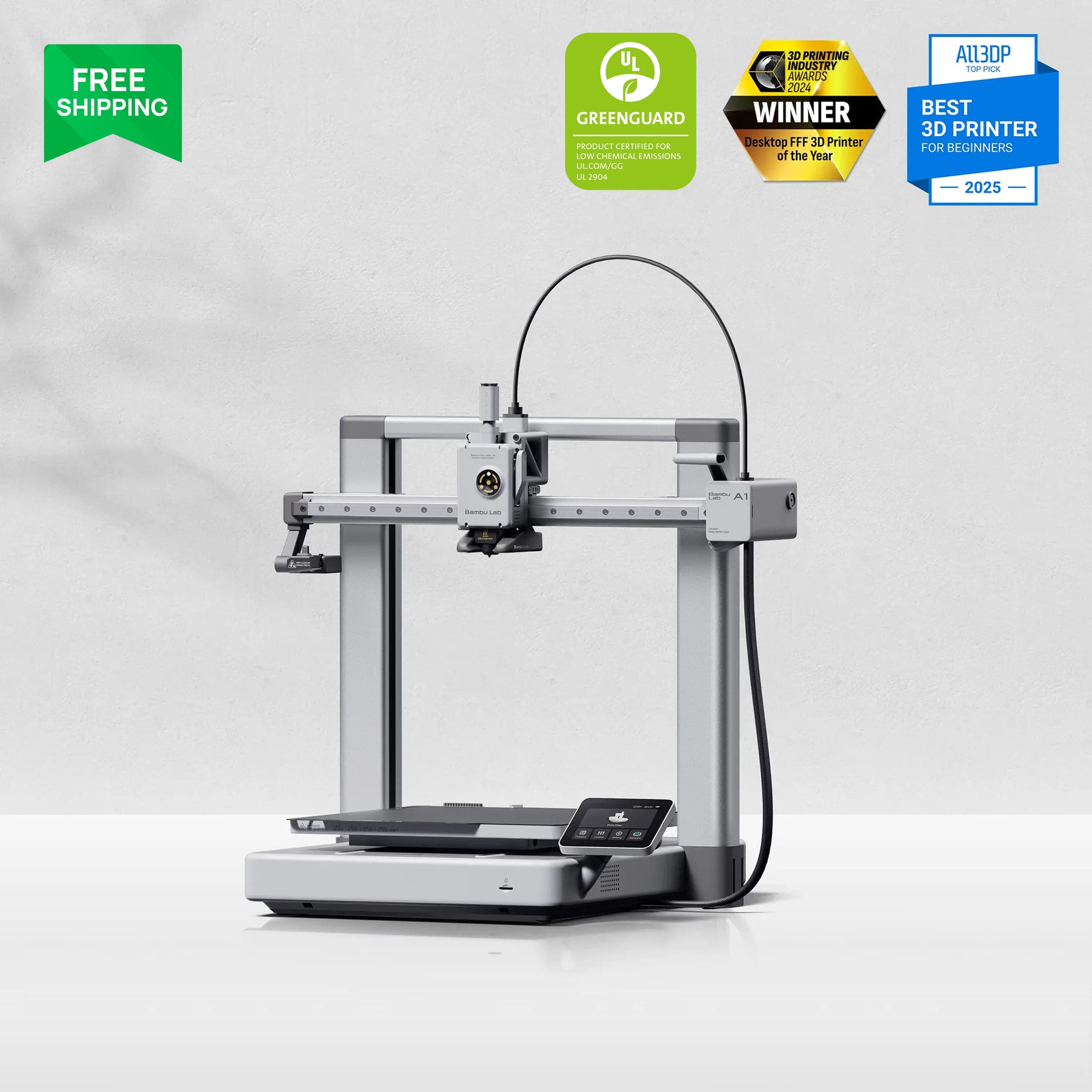
Bambu Lab A1It's the default first-printer recommendation for a reason. Buy it for PLA, PETG, and TPU; buy an enclosed machine if you need anything hotter.
If you're buying your first 3D printer, the specs matter less than how painlessly a machine gets you from unboxing to a successful print. On that measure, the Bambu Lab A1 wins. It costs ~$299 solo (against a $399 MSRP, with sale lows around $279), prints within 15 to 30 minutes of unboxing with no calibration ritual, and runs about as quietly as a library. It's the most beginner-proof printer you can buy.
It has limits, though. It's an open-frame machine, so ABS and ASA are effectively off the table, and as a bed-slinger it comes with that design's trade-offs. This review covers both sides: why it's the default first-printer pick, and exactly where it stops being enough.
Verdict summary
Specs at a glance
| Product | Price | Frame | Noise | ABS/ASA |
|---|---|---|---|---|
| Bambu Lab A1Check price | ~$299 solo / ~$399–419 Combo | Open bed-slinger | ≤48 dB | Not reliable |
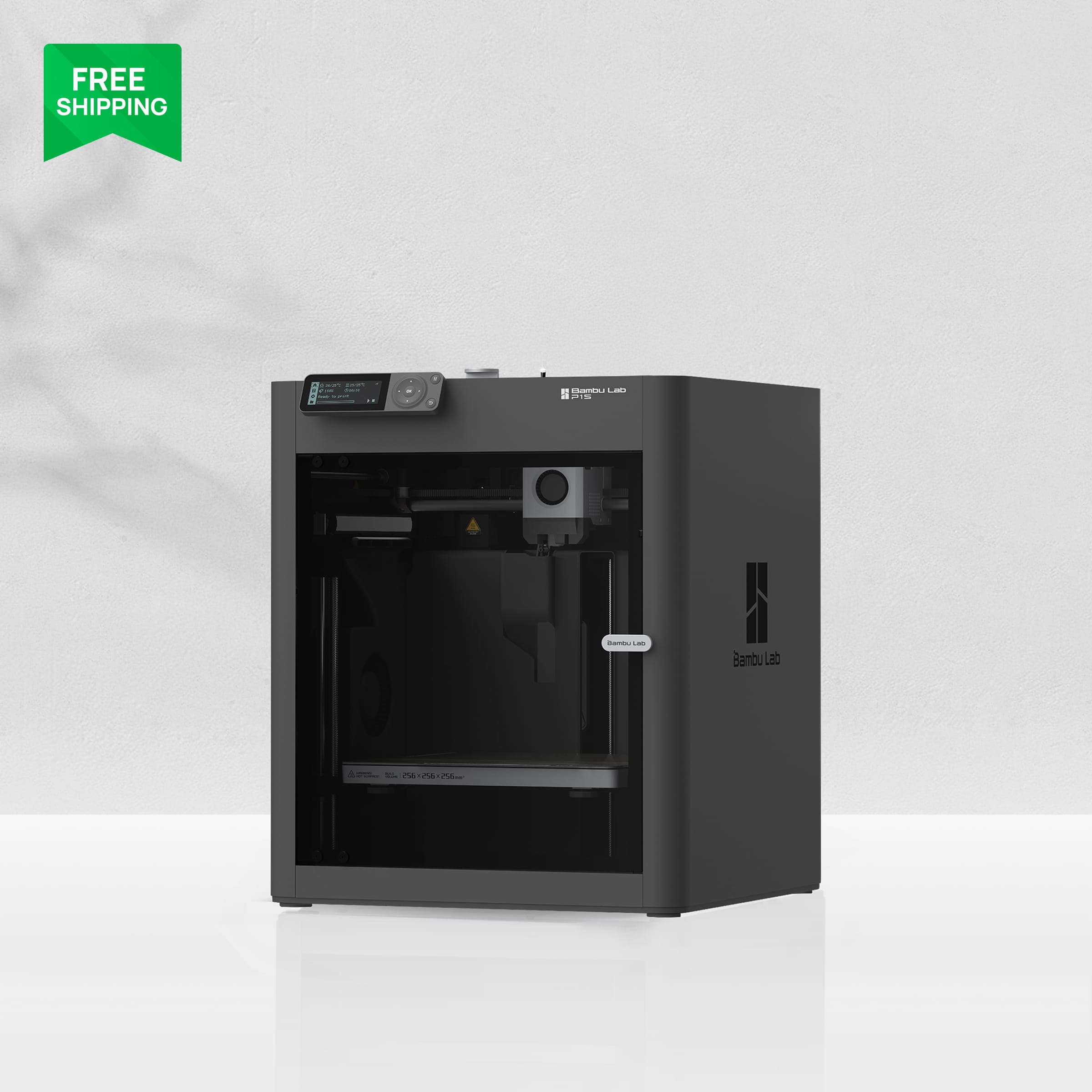 Bambu Lab P1SCheck price Bambu Lab P1SCheck price | ~$399 clearance | Enclosed CoreXY | ~72 dB | Yes |
Prices verified October 2026. They move with sales, so check the live price before buying.
The full A1 spec sheet: a 256 × 256 × 256 mm build volume, an open-frame bed-slinger Cartesian design, 500 mm/s top speed, 10,000 mm/s² acceleration, a 300°C all-metal hotend, a 100°C heated bed, and a 0.4 mm stainless quick-swap nozzle (with 0.2, 0.6, and 0.8 mm options). Calibration is fully automatic: bed leveling, Z-offset, active flow-rate compensation, and vibration compensation all run without your input. It ships with runout, tangle, and power-loss sensors, a 3.5-inch IPS touchscreen, Wi-Fi/LAN/microSD connectivity, and a low-frame-rate camera that's best suited to timelapses. It weighs 8.3 kg.
Material support is where the open frame draws the line. PLA, PETG, TPU, and PVA are ideal. Bambu lists ABS, ASA, PC, and PA as technically possible, but without an enclosure they aren't reliable, so treat them as unsupported in practice. Carbon and glass-fiber filaments are not recommended. The optional AMS Lite adds 4-color printing, and the Combo (printer + AMS Lite) runs ~$399 to $419 depending on the retailer (verified October 2026).
Print quality
The standout number is 98% first-layer success in 90-day testing, logged by an independent reviewer in a multi-printer showdown. First-layer success is what actually decides whether a beginner is happy: a printer that nails the first layer almost every time doesn't leave you with spaghetti and frustration.
That result comes from the auto-calibration doing its job. Before every print, the printer measures and compensates for bed level, flow rate, and vibration on its own. Reviewers consistently say the A1 matches the output of printers costing twice as much, and one testing outlet scored it 10/10 for ease of use and 9/10 for value, calling it the best open-frame printer under $400.
The bed-slinger caveat: on tall, thin parts, the moving bed introduces wobble that a CoreXY machine wouldn't have. For the miniatures, organizers, toys, and functional PLA parts beginners actually print, this rarely matters. It does matter if you plan to print tall vases or structural parts, so think about what you'll make.
Ease of use
Ease of use is the whole point of the A1, and it delivers. You're printing within 15 to 30 minutes of unboxing, with no calibration ritual, no bed-leveling screws, and no loop of tuning test prints. The quick-swap nozzle changes in seconds without tools, and the touchscreen is clear and responsive. Reviewers describe the setup as the smoothest in the industry.
It's also quiet. At ≤48 dB, the A1 runs at what reviewers call "library volumes," and owner reports confirm it. The P1S runs at 72 dB by comparison. The A1 can sit in a bedroom, a home office, or a living room and print overnight without bothering anyone, and for a first printer that lives where you live, that matters more than any spec on the sheet.
On software, you get Bambu's usual strengths: Bambu Studio profiles, the MakerWorld model library, and responsive support, with fast parts shipping reported in a 1,000+ hour owner survey. The trade-off, as with all Bambu machines, is the proprietary, cloud-leaning ecosystem. Our P1S review covers it in its ecosystem section, and the same applies here.
The limits, honestly
Open frame means no ABS or ASA. This is the big one. Without an enclosure, warp-prone materials fail unpredictably, and no settings trick changes the physics. If you know you'll need ABS, ASA, or nylon within your first year, skip the A1 and buy an enclosed machine (the P1S on clearance is the natural step up). If you're printing PLA, PETG, and TPU, which covers the vast majority of beginner printing, the open frame doesn't matter.
Bed-slinger trade-offs. The bed moves back and forth, so the printer needs clear desk space in front and behind, and tall thin prints can wobble. Long term, there's also simply more motion to maintain than on a CoreXY machine, whose bed doesn't slide.
AMS Lite caveats. The 4-color add-on sits outside the printer (so it adds footprint), multicolor jobs carry the usual single-nozzle purge waste, and the feeder motors can chew through poorly wound cheap spools. If you're curious about multicolor, buy the Combo: at ~$399 to $419 it's roughly $90 to $120 cheaper than adding the AMS Lite later. But don't buy the A1 for multicolor. It's a single-color printer that can do party tricks.
The heatbed cable recall. A1 units from late 2023 and early 2024 were part of a heatbed cable recall. Bambu redesigned the cable, and all 2026 units ship with the fix. This only matters if you're buying used, in which case check the unit's manufacture date and recall status before paying.
Humid rooms. Exposed spools on an open-frame printer absorb moisture fast. In humid climates, budget for a dry box or filament dryer alongside the printer.
Who it's for
- First-time buyers who want the shortest path from box to successful print.
- Families: it's quiet, the electronics are enclosed, it needs no fiddling, and the model library is kid-friendly.
- PLA/PETG/TPU printing, the materials that cover most beginner and hobbyist use.
- The multicolor-curious. Buy the Combo; it's meaningfully cheaper than adding the AMS Lite later.
- Apartment and shared-space users. At ≤48 dB, it's the quietest printer in its class.
Who should skip it
- Anyone printing ABS/ASA/nylon. Get an enclosed machine (P1S or P2S). There are no exceptions worth making.
- Anyone needing more than 256 mm of build volume or more than 4 colors.
- Tinkerers who want open firmware. Bambu's ecosystem is closed and cloud-leaning.
- Very humid spaces without a dryer. Exposed spools and moisture don't mix.
Image: Bambu LabBambu Lab A1
It's the default first-printer recommendation for a reason. Buy it for PLA, PETG, and TPU; buy an enclosed machine if you need anything hotter.
Good stuff
- Easiest setup in its class: printing in 15 to 30 minutes
- Full auto-calibration, 98% first-layer success in testing
- ≤48 dB, quiet enough for a bedroom
- Unbeatable value at ~$299
Watch out for
- Open frame: no reliable ABS/ASA
- Bed-slinger wobble on tall thin parts
- AMS Lite adds footprint and purge waste
- Closed, cloud-leaning ecosystem
FAQ
Is the Bambu Lab A1 good for beginners?
It's the best beginner pick available: a 15 to 30 minute setup, fully automatic calibration, 98% first-layer success in independent 90-day testing, and ≤48 dB operation. Its main limitation for beginners is the open frame, which rules out ABS and ASA.
Should I buy the A1 or the A1 Combo?
If you want multicolor printing at all, buy the Combo. At ~$399 to $419 it's roughly $90 to $120 cheaper than adding the AMS Lite later. If you'll only ever print single color, save the money and buy the printer on its own.
Can the A1 print ABS?
Not reliably. It's an open-frame printer, and ABS/ASA warp without a heated enclosure. Bambu lists them as technically possible, but in practice they're unsupported. For ABS, step up to an enclosed printer like the P1S.
Is the A1 really that quiet?
Yes. It measured ≤48 dB in testing, reviewers describe it as 'library volumes,' and owner reports confirm it. It's dramatically quieter than the P1S (~72 dB) and quiet enough to run overnight in a bedroom.
What about the A1 heatbed cable recall?
Units from late 2023 and early 2024 were recalled for a heatbed cable issue. Bambu redesigned the cable, and all 2026 units include the fix. If you buy used, check the unit's manufacture date and recall status first.
A1 vs P1S: which should I buy?
Buy the A1 if you're a beginner printing PLA/PETG/TPU who values quiet operation and the lowest price. Buy the P1S if you need ABS/ASA (enclosure), print overnight unattended in a separate room (where noise matters less), or want the CoreXY platform, especially at its $399 clearance price.
Prices verified October 2026. They move with sales, so check the live price before buying. As an affiliate site, we may earn a commission on purchases made through our links, at no extra cost to you. Read our affiliate disclosure.
Related guides
- Buying guideBest 3D Printer for Cosplay in 2026Large-format 3D printers for cosplay helmets and armor, ranked by build volume and long-print reliability — plus a small-prop specialist for detail work.
- Buying guideBest 3D Printer Under $500 in 2026Budget 3D printers that won't punish beginners — ranked on setup ease, reliability, and honest total cost, from the $197 floor to a $399 stretch pick.
- Buying guideBest 3D Printer for Miniatures in 2026Resin 3D printers ranked for tabletop miniature detail: pixel size, tilt-release vats, and first-print success — plus the ventilation rules.