Bambu Lab P1S Review (2026): Great Printer, Only Worth It on Sale
The Bambu Lab P1S at $399 clearance: a previous-generation CoreXY that still prints — but only worth it on sale. Full review for 2026 buyers.
Updated · We may earn a commission from links on this page. How that works
Quick answer
 Check price on Amazon
Clearance pick
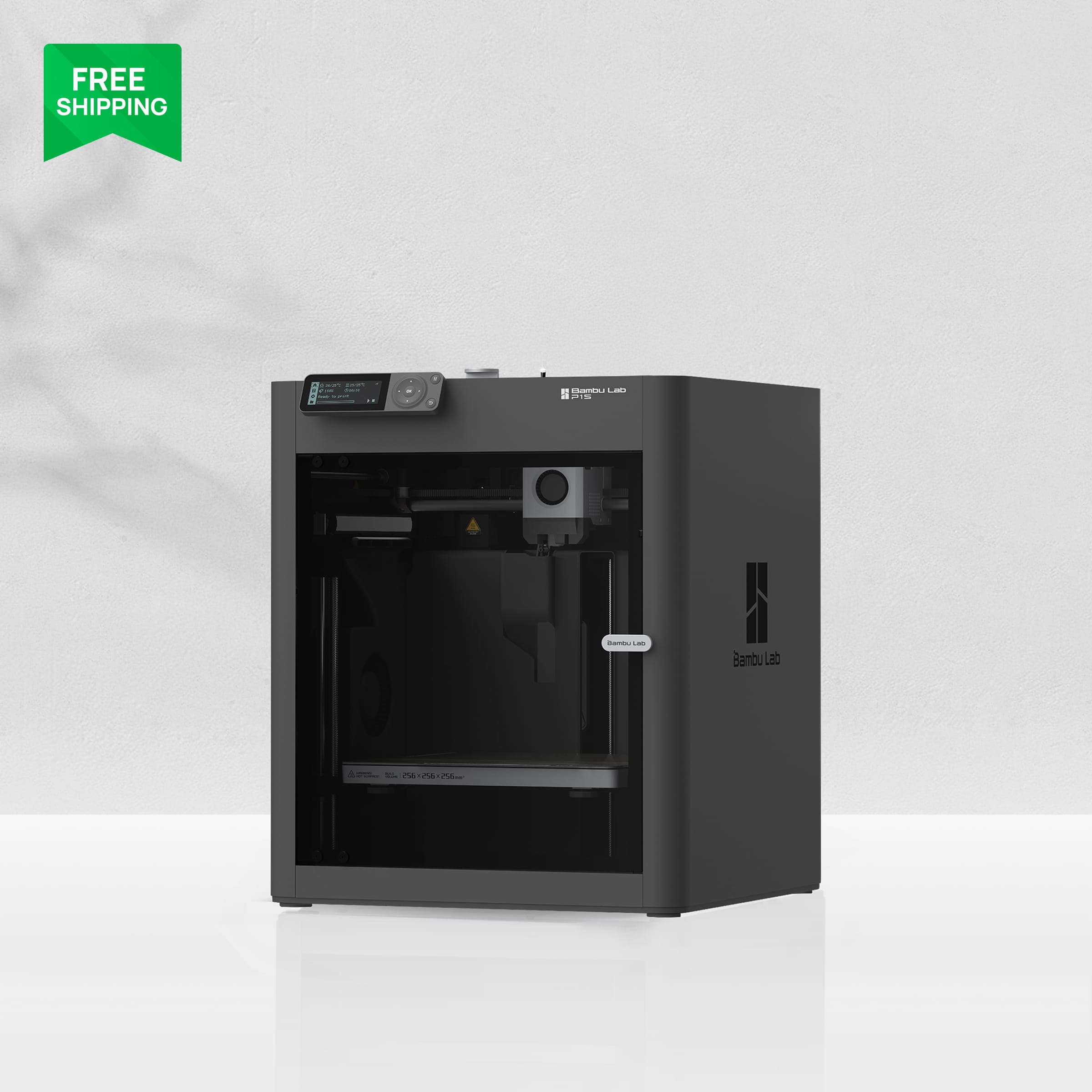
Bambu Lab P1SA great printer at clearance prices and a poor buy at anything close to the P2S's price. Check the gap before you check out: $150 or more under the P2S, or walk away.
First, the context that matters most: the Bambu Lab P1S is the previous generation. Its successor, the P2S, is the current model at ~$549 solo / ~$749 Combo (verified October 2026). The P1S hasn't been officially discontinued, but it's on clearance. The Bambu US store lists it at ~$399 solo against a struck-through $699 MSRP, with summer sale lows around $359 to $369 (verified October 2026).
That changes the whole review. The P1S isn't really competing with the rest of the printer market anymore; it's competing with the P2S. The buying rule is simple: it's only worth it if the gap to the P2S is $150 or more. If the gap is under $100, buy the P2S. This review explains why, and when the clearance price makes the older machine the smarter buy.
Verdict summary
Specs at a glance
| Product | Price | Build volume | Max speed | Touchscreen | AI detection |
|---|---|---|---|---|---|
| Bambu Lab P1SCheck price | ~$399 clearance | 256 × 256 × 256 mm | 500 mm/s | No | No |
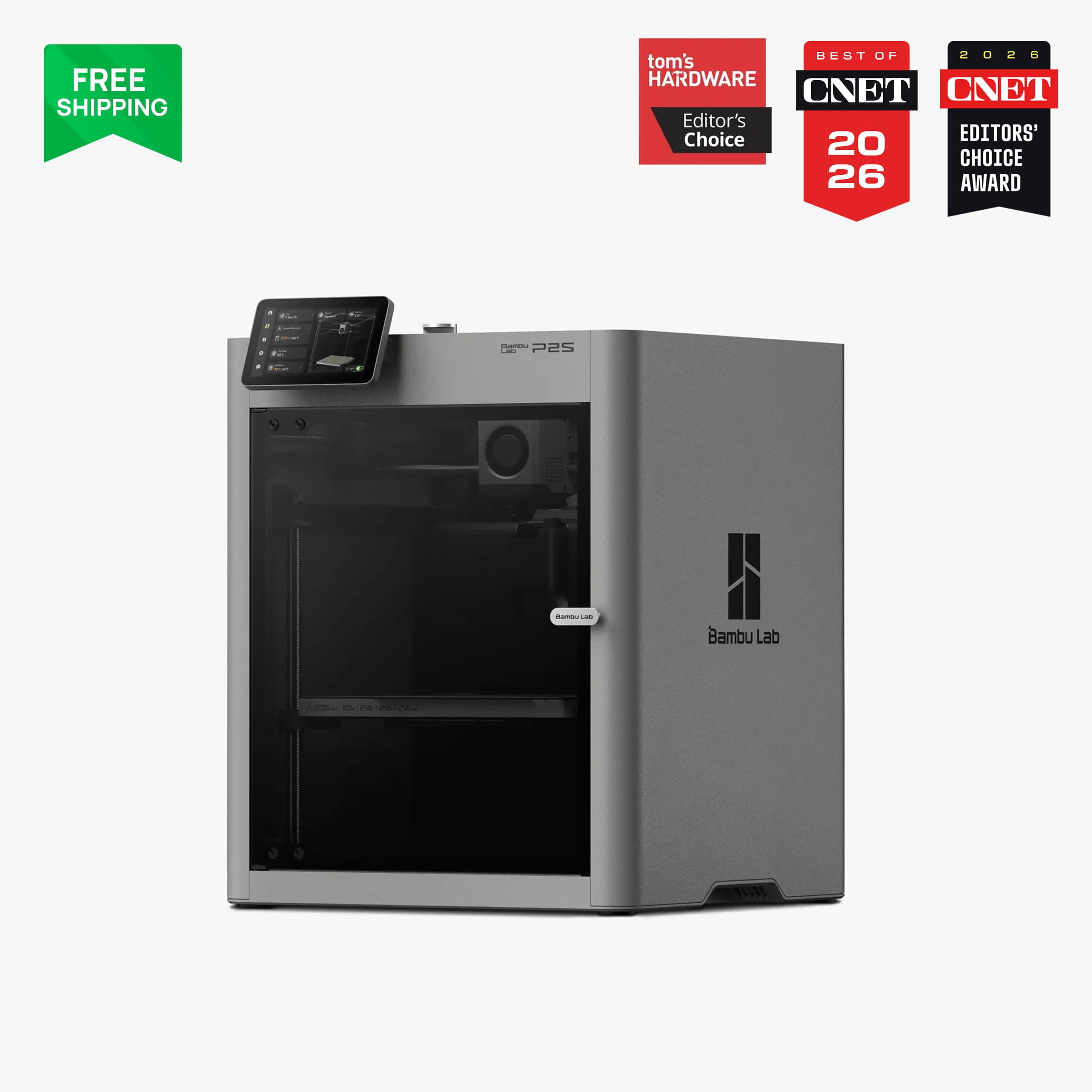 Bambu Lab P2SCheck price Bambu Lab P2SCheck price | ~$549 / ~$749 Combo | 256 × 256 × 256 mm | 600 mm/s | Yes | Yes |
Prices verified October 2026. They move with sales, so check the live price before buying.
The full P1S spec sheet: an enclosed CoreXY design, a 256 × 256 × 256 mm build volume, 500 mm/s top speed, 20,000 mm/s² acceleration, a 300°C max nozzle temperature, auto bed leveling, and an activated carbon filter for printing ABS and ASA indoors. Its ideal materials run from PLA, PETG, TPU, PVA, and PET through ABS and ASA, and it can also handle PA and PC. Carbon and glass-fiber filaments aren't recommended on the stock stainless steel nozzle. Add the AMS and it handles up to 16 colors.
The camera gives away its age: 720p at roughly 0.5 frames per second, barely usable for monitoring and useless for timelapses. And what it lacks compared to the P2S is exactly the modern conveniences: no touchscreen, no quick-swap nozzle, no flow calibration, and no AI failure detection.
Print quality
The good news is substantial: the P1S prints beautifully. Tom's Hardware called it the "sweet spot … affordable Core XY speed for a wide range of materials and access to Bambu's popular AMS system." One reviewer found that it beat their hand-tuned Voron Trident, which cost twice as much, with zero tuning. A September 2026 head-to-head concluded that it "prints as well as the P2S." The newer machine's advantages are features and convenience, not output quality.
For the materials a beginner or small shop actually prints (PLA, PETG, ABS, ASA), there's no meaningful quality gap between the P1S and its successor. The enclosed chamber handles ABS and ASA properly, auto bed leveling delivers consistent first layers, and the activated carbon filter keeps fumes manageable indoors. Print farms run these machines daily, so the platform is proven at volume.
The quality caveats come from the stock nozzle and sensors, not the motion system. The stainless nozzle can't handle carbon or glass-fiber composites (you'd need a hardened nozzle upgrade), and without AI detection, a spaghetti failure keeps running until you notice it. On a printer you run overnight, that matters.
Ease of use
The P1S built its reputation on printing out of the box with minimal fuss. Setup and calibration are largely automatic, and Bambu Studio's profiles handle the rest. For a beginner moving up from a bed-slinger, it's a big step up: enclosed, pre-calibrated, and reliable.
But it has two friction points worth knowing about. First, it's loud. It measures around 72 dB at full speed, and owners report 70 to 80 dB, describing it again and again as "painfully loud" and "not office-friendly." Apartment users say they can't run it at night. The difference from quieter machines is not subtle, and noise is the most common complaint in owner communities.
Second, the interface is dated. A small non-touch screen and confusing Wi-Fi/Bluetooth binding trip up new owners. The P2S's touchscreen is more than a nicety, since it removes a real annoyance.
Multicolor printing works through the AMS (up to 16 colors with stacked units), but know the costs. Purge waste on color swaps is significant: one multicolor benchmark took 4 hours on the P1S versus 1h37 on a dual-nozzle competitor. Every single-nozzle machine wastes filament on multicolor, and the AMS doesn't change that.
The ecosystem question
This is the most contentious part of owning any Bambu printer in 2026, so we'll stick to the facts.
Bambu's ecosystem is closed. Repairs use proprietary parts, the workflow is cloud-connected, and since January 2025 the printers have required mandatory "Authorization Control." Third-party slicers can still connect, but only through Bambu's Connect middleware. In September 2025, third-party firmware was fully locked out. In April 2026, Bambu sent a cease-and-desist to a developer maintaining an OrcaSlicer fork. Owners on deal forums report that replacement motherboards ship remotely activation-locked to the printer.
None of this affects normal printing. If you slice in Bambu Studio, print from the cloud or an SD card, and buy Bambu parts, you'll never run into any of it. The people affected are tinkerers: OrcaSlicer loyalists, open-firmware enthusiasts, and anyone who wants their printer to be a hackable platform. As one prominent reviewer put it, "you can't have it both ways." Bambu's appliance-like reliability and its closed ecosystem come from the same product decision.
Our take: for a beginner who wants to print rather than tinker, this is a non-issue in practice. If you care about open ecosystems (a legitimate and growing camp in 2026), it's a genuine reason to look at Prusa or a Klipper-based machine instead. Figure out which kind of buyer you are before the purchase, not after.
Who it's for
- Budget buyers printing PLA/PETG/ABS/ASA who want an enclosed CoreXY machine without paying current-generation prices.
- Print farms and small shops standardizing on a proven platform. The P1S's farm track record is well documented.
- Beginners who value reliability over tinkering and are comfortable inside Bambu's ecosystem.
- Existing P1S owners: keep it. There's no reason to upgrade to the P2S unless you specifically want the touchscreen, AI detection, or composite-ready nozzle.
The rule bears repeating: buy it when the gap to the P2S is $150 or more and you mostly print PLA, PETG, or ABS. At that discount, independent reviewers agree it's the better value.
Who should skip it
- OrcaSlicer users and tinkerers. The platform is moving against you, and that isn't reversing.
- Noise-sensitive users. 72 dB in an apartment or quiet office is a real problem, and that alone rules it out for many buyers.
- Buyers who want AI monitoring and a touchscreen. That's the P2S's feature set, not this machine's.
- Heavy multicolor users. Purge waste on a single-nozzle machine costs a lot in both filament and time.
- Anyone who can get the P2S for under $100 more. At that gap, the newer machine wins on features alone.
One more case for skipping: don't pay near-list price for a P1S from third-party sellers. Amazon listings have been spotted at full list price while Bambu's own store runs clearance. The only P1S worth buying is a discounted one.
Image: Bambu LabBambu Lab P1S
A great printer at clearance prices and a poor buy at anything close to the P2S's price. Check the gap before you check out: $150 or more under the P2S, or walk away.
Good stuff
- Prints as well as the P2S for common materials
- Proven enclosed CoreXY platform with farm track record
- Excellent value at $150+ under the P2S
- AMS supports up to 16 colors
Watch out for
- Previous generation; P2S is the current model
- Loud at ~72 dB, not apartment-friendly
- No touchscreen, no AI detection, dated camera
- Closed ecosystem with 2026 firmware controversy
FAQ
Is the Bambu Lab P1S discontinued?
Not officially, but it's the previous generation and selling at clearance pricing (~$399 vs $699 MSRP). The P2S is the current model, so treat the P1S as a clearance buy rather than a current product.
Should I buy the P1S or the P2S?
Buy the P1S only if it's $150 or more cheaper than the P2S and you mainly print PLA, PETG, or ABS. At a smaller price gap, the P2S's touchscreen, AI detection, faster speeds, and composite-ready nozzle are worth the difference.
Is the P1S good for beginners?
Yes. It's reliable, mostly automatic, and prints well out of the box. The main concerns for beginners are the 72 dB noise (not apartment-friendly) and Bambu's closed ecosystem, which only matters if you want to tinker beyond Bambu Studio.
Can the P1S print ABS and ASA?
Yes. It's fully enclosed with an activated carbon filter, which is exactly what ABS and ASA need. This is one of the P1S's genuine strengths over open-frame printers.
What's the controversy with Bambu Lab firmware?
Since January 2025 Bambu has required Authorization Control on its printers, restricted third-party slicer access to its Connect middleware, locked out third-party firmware (September 2025), and sent a cease-and-desist to an OrcaSlicer fork developer (April 2026). Normal Bambu Studio users are unaffected; tinkerers who want an open ecosystem should look elsewhere.
I already own a P1S. Should I upgrade to the P2S?
Probably not. The P1S prints as well as the P2S for common materials. Upgrade only if you specifically want the touchscreen, AI failure detection, or the stock hardened nozzle for composite filaments.
Prices verified October 2026. They move with sales, so check the live price before buying. As an affiliate site, we may earn a commission on purchases made through our links, at no extra cost to you. Read our affiliate disclosure.
Related guides
- ComparisonBambu Lab A1 vs P1S: Which Should You Buy in 2026?Bambu Lab A1 vs P1S compared honestly: price, enclosure, materials, noise, and the P2S fork that decides which printer is actually worth your money.
- Buying guideBest 3D Printer for Small Business in 2026The most reliable 3D printers for prototypes, custom products, and short-run manufacturing — ranked for uptime and total cost.
- ReviewBambu Lab A1 Review (2026): The Easiest First 3D PrinterBambu Lab A1 review: the easiest first 3D printer at $299 — quiet, auto-calibrated, and beginner-proof, with honest limits on materials.